Best ways to USDT Mastercard cards to send money to family for overseas students
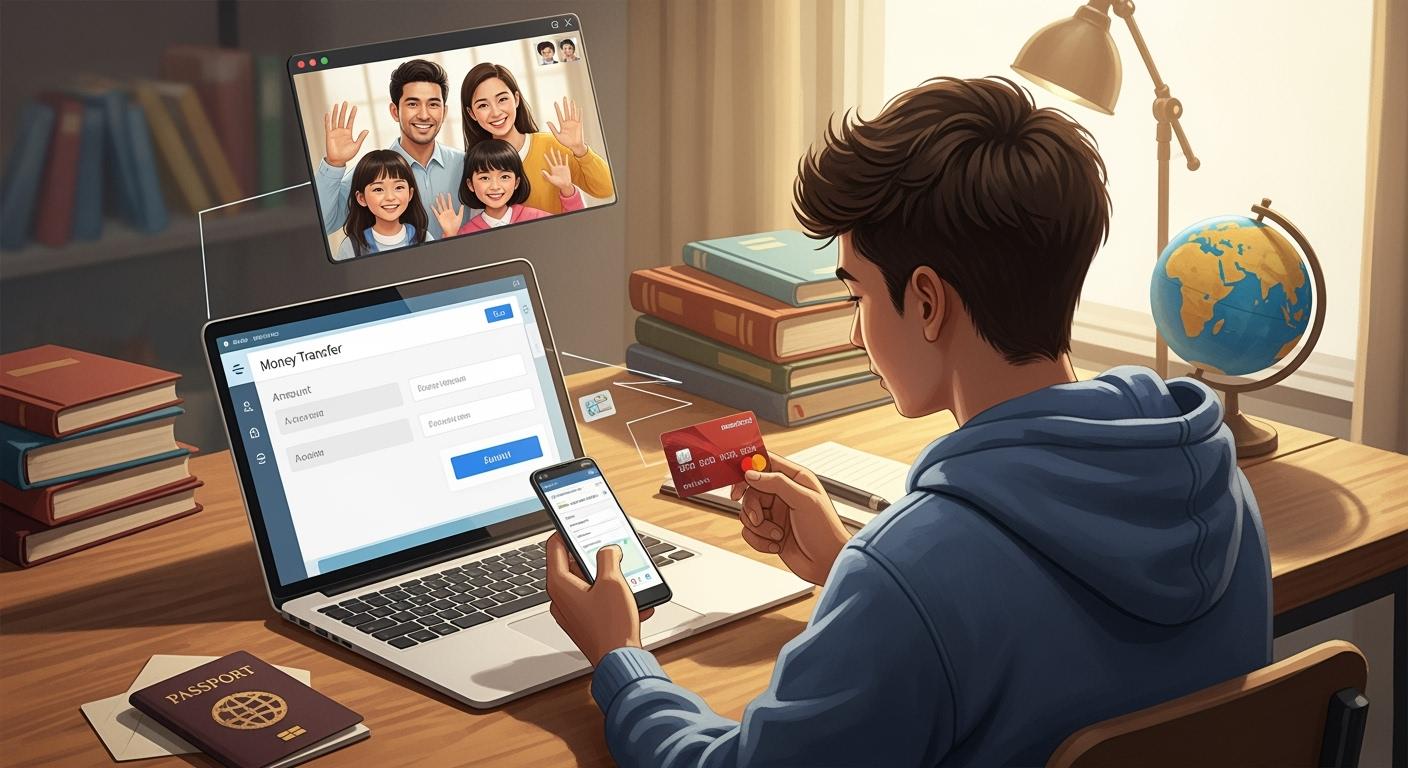
Sending money home feels easy with USDT Mastercard cards. You get fast transfers, simple wallet linking, and quick fiat conversion. You can pay in stores or withdraw cash with no hassle. UUPAY gives you a secure way to manage your card and funds.
Key Takeaways
Pick a trusted provider like UUPAY to get your USDT Mastercard card. This makes the process safe and easy.
Always look at the fees before you send money. Knowing the costs helps you save money and stops surprises.
Turn on your card for use in other countries to send money home or buy things abroad easily.
Getting Started with USDT Mastercard Cards
Applying for a Card
Ready to get your own USDT Mastercard card? You can start by choosing a trusted provider. Many students pick UUPAY because it makes things simple and safe. Here’s how you can apply:
Go to the UUPAY website.
Create your account with your email and a strong password.
Fill in your personal details, like your name and address.
Upload a photo of your ID for verification.
Wait for approval. This usually takes less than a day.
💡 Tip: UUPAY is running a special offer right now. You pay no card issuance fee, recharge fee is as low as 1%, and there’s no annual fee. This helps you save money while studying overseas.
Activating for International Use
Once you get your card, you need to activate it for international use. This lets you send money home or pay for things abroad. Here’s what you do:
Log in to your UUPAY account.
Find your card settings.
Click “Activate for International Use.”
Set a PIN for extra security.
Link your card to your wallet if you want to use USDT.
Now your card is ready for action. You can use it online, in stores, or at ATMs. If you have any trouble, UUPAY’s support team can help you out.
Loading USDT and Linking Wallets
Funding Your Card
You want to get money onto your USDT Mastercard cards fast. You have a few ways to do this, but Paysafecard is one of the quickest. Check out this table to see how it works:
Method | Processing Time |
|---|---|
Paysafecard |
Paysafecard lets you load funds instantly, so you do not have to wait. When you add money, you pay a small fee. Here is what you can expect:
You can see the fee before you finish the process. This helps you plan and avoid surprises. Always double-check the amount and fee before you confirm.
Wallet Integration
Linking your crypto wallet to your card keeps things simple and safe. You control your funds and can move money when you need it. To keep your wallet secure, use these features:
Security Feature | Description |
|---|---|
2FA (two-factor authentication) | Adds an extra layer of security by requiring a second form of verification. |
Real-time spending alerts | Notifies you of transactions as they happen, so you can spot anything odd. |
Manual freeze/unfreeze options | Lets you freeze your card if you see something wrong. |
Helps you set spending and withdrawal limits
Makes sure you follow international rules
🛡️ Tip: Always turn on 2FA and check your alerts. If you see something strange, freeze your card right away.
Sending Money with USDT Mastercard Cards

Online Transfers
You want to send money to your family quickly. Online transfers with USDT Mastercard cards make this easy. Here’s how you do it:
Log in to your card provider’s website or app.
Choose the “Send Money” or “Transfer” option.
Enter your family member’s details. You need their bank info or wallet address.
Select the amount you want to send.
Pick USDT or fiat currency for the transfer.
Review the fees and confirm the transaction.
💡 Tip: If your family prefers cash, convert USDT to fiat before sending. Most platforms show the exchange rate and fees up front. This helps you avoid surprises.
You can also transfer funds directly to another wallet. This works well if your family uses crypto. Just enter their wallet address and confirm.
ATM Withdrawals
Sometimes your family needs cash. You can use USDT Mastercard cards at ATMs around the world. Here’s what you do:
Find an ATM that accepts Mastercard.
Insert your card and enter your PIN.
Choose “Withdraw” and select the currency.
Enter the amount you want.
Take your cash and keep your receipt.
🏧 Note: Some ATMs charge extra fees for international cards. Check the fee before you finish. If you want to avoid high fees, use ATMs linked to major banks.
You may need to convert USDT to local currency first. Most card providers let you do this in their app. Look for the “Convert” or “Exchange” feature.
In-Store Payments
You can pay for groceries, books, or gifts with USDT Mastercard cards. Many stores accept Mastercard, so you have lots of options. Here’s how you pay:
Swipe or tap your card at checkout.
Enter your PIN if asked.
Choose USDT or fiat for payment.
Wait for approval and get your receipt.
🛒 Tip: Some stores offer cashback when you pay with your card. Ask the cashier if this is available. You can get extra cash while shopping.
If you want to pay with USDT, make sure the store supports crypto payments. If not, convert USDT to fiat in your app before you shop.
Method | Steps Needed | Conversion Option | Typical Fees |
|---|---|---|---|
Online Transfer | 6 | Yes | Low-Medium |
ATM Withdrawal | 5 | Yes | Medium-High |
In-Store Payment | 4 | Yes | Low |
USDT Mastercard cards give you flexibility. You can send money online, withdraw cash, or pay in stores. You control how you move your funds and can switch between USDT and fiat anytime.
Minimizing Fees and Maximizing Speed
Using Third-Party Services
You want to save money when you send funds. Wise and Revolut help you get better exchange rates and lower fees. These services work well with USDT Mastercard cards. You can transfer money from your card to Wise or Revolut, then send it to your family’s bank account. Many students use these apps because they show fees before you pay.
💡 Tip: Always compare the rates on Wise, Revolut, and your card provider. Pick the one with the lowest fee for your transfer.
Timing Transactions
You can speed up your transfers by sending money during business hours. Banks process payments faster when they are open. If you send money late at night or on weekends, you might wait longer. Try to avoid busy times, like holidays, because banks get crowded.
Here’s a quick guide:
Time of Transfer | Speed |
|---|---|
Business Hours | Fast |
Nights/Weekends | Slower |
Holidays | Slowest |
Avoiding Hidden Costs
You want to keep more of your money. Watch out for hidden fees, like ATM charges or currency conversion costs. Some providers add small fees for each transaction. Always read the fee details before you send money.
Check for extra charges at ATMs.
Look for conversion fees when switching USDT to fiat.
Ask your provider about monthly or annual fees.
🚨 Note: If you see a fee you don’t understand, contact customer support. They can explain it and help you avoid surprises.
Security and Best Practices
Protecting Your Card
You need to keep your USDT Mastercard card safe. Make a strong password and turn on two-factor authentication. Do not share your card details with anyone. If you get a weird email or message, do not click any links. Hackers use fake messages to try to steal your information.
Here are some easy ways to keep your card safe:
Put antivirus software and firewalls on your devices.
Only type your card info on trusted websites with HTTPS.
Pick secure wallets. If you have a lot of USDT, hardware wallets are safer.
Keep your phone, computer, and apps updated. Updates fix security problems.
Check your account often for anything you do not know.
🛡️ Tip: If you see a charge you did not make, freeze your card and talk to support right away.
Avoiding Scams
Scammers try to trick students with fake offers and phishing emails. You might get a message saying you won a prize or need to check your account. These tricks can steal your money or personal info.
Look out for these common scams:
Scam Type | What to Look For |
|---|---|
Phishing Emails | Spelling mistakes, urgent tone |
Fake Websites | No HTTPS, odd web addresses |
Prize Scams | Requests for card details |
Always double-check before you send money or type your card info. If something feels strange, trust yourself and ask for help. Check your account often so you can find problems early.
Common Mistakes and Troubleshooting
Transaction Errors
You might run into some problems when sending money with your USDT Mastercard card. Don’t worry—most issues have easy fixes. Here are some common mistakes and how you can avoid them:
Wrong recipient details: Double-check the wallet address or bank info before you send money. One small typo can send your funds to the wrong place.
Insufficient balance: Make sure you have enough USDT or fiat on your card before you start a transfer.
Expired or inactive card: If your card is not active, you can’t use it. Always check your card status in your UUPAY app.
Network congestion: Sometimes, the blockchain gets busy. Your transfer might take longer than usual.
⚠️ Tip: If your transaction fails, don’t try to send it again right away. Wait a few minutes and check your balance first.
Support Resources
If you get stuck, you have help. UUPAY offers support in several ways:
Support Option | How to Use It |
|---|---|
Live Chat | Use the chat on the UUPAY website |
Help Center | Read guides and FAQs online |
You can also find step-by-step guides in the UUPAY app. If you see a problem you can’t fix, contact support right away. Take screenshots of any error messages. This helps the support team solve your issue faster.
💬 Note: UUPAY’s support team answers most questions within a few hours. Don’t hesitate to reach out if you need help.
You can send money home fast with your USDT Mastercard card.
Always check fees before you transfer.
Pick a trusted provider like UUPAY.
Watch your account for strange activity.
Use support if you get stuck.
💡 Tip: Stay updated on new features and security tips for smooth transfers.
FAQ
How fast can you send money with a USDT Mastercard card?
You can send money almost instantly. Most transfers finish in minutes. Some may take longer if the network is busy.
Can you use your USDT Mastercard card at any ATM?
You can use your card at most ATMs that accept Mastercard. Some ATMs may charge extra fees. Always check before you withdraw.
What should you do if your card gets lost or stolen?
Freeze your card in the app right away. Contact UUPAY support for help. They will guide you through the next steps.
See Also
Ultimate USDT Visa Card Guide For Digital Nomad Budgeting
Discover The Advantages Of USDT Cards For Smooth Payments
Essential Tips For Effortless Daily Spending With Crypto Cards
Using Bitcoin Debit Cards For Booking Flights From The Philippines
Paying Lazada Orders In Thailand With Multi-Currency Crypto Cards
