Crypto card Apple Pay and Google Pay compatibility in U.S.
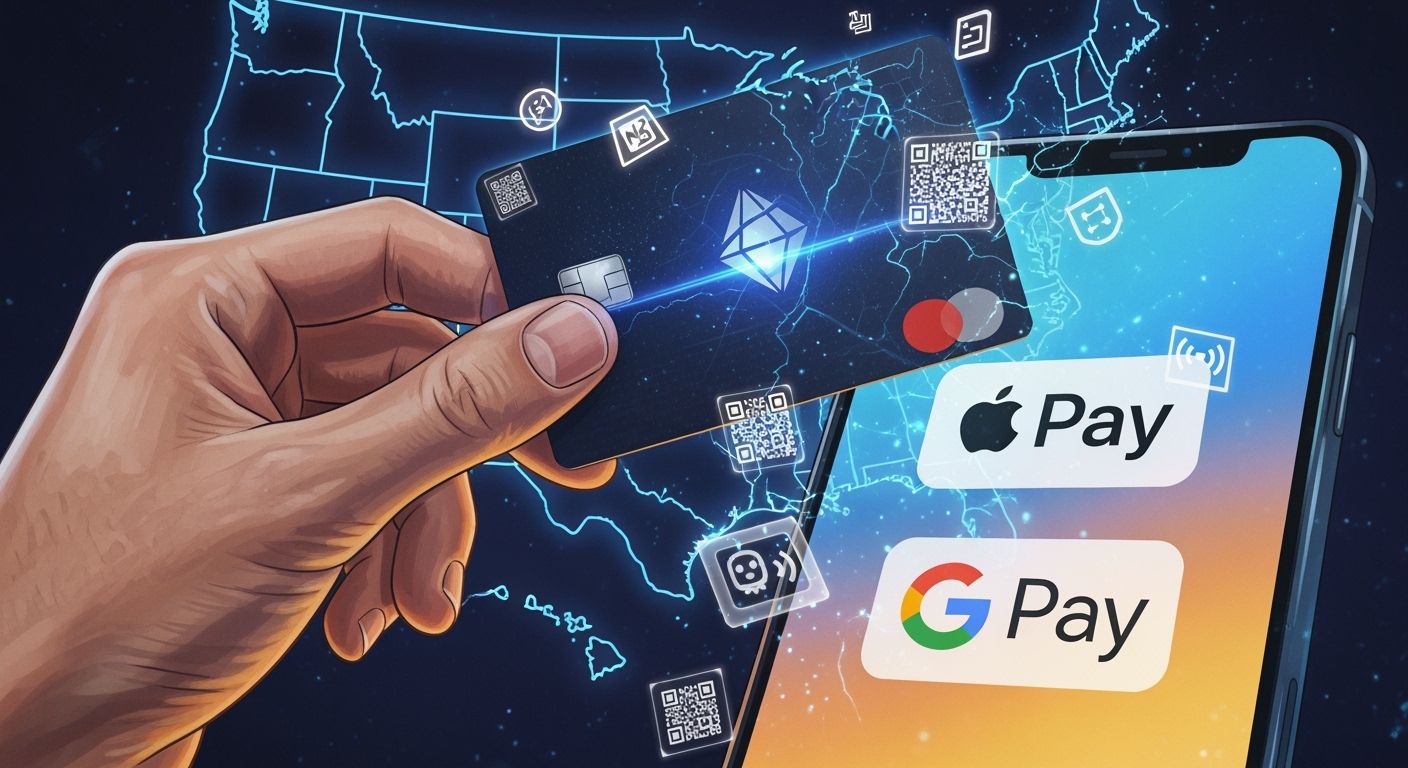
You can use a crypto card with Apple Pay and Google Pay in the U.S. Compatibility depends on the provider and your device. Always check the card’s details and make sure your phone or tablet supports these wallets. This helps you avoid issues when making payments.
Key Takeaways
Check compatibility before using a crypto card with Apple Pay or Google Pay. Not all cards support both wallets.
UUPAY stands out for its strong compliance and user-friendly features. It offers secure payments and global support.
Review fees and rewards for each card. Some cards offer high cashback rates, while others may charge extra fees.
Crypto card compatibility overview
You have many choices when it comes to using a crypto card with Apple Pay or Google Pay in the U.S. Each provider offers different features and wallet support. Some cards work with both wallets, while others support only one. You need to check the details for each card before you decide.
Apple Pay support
Apple Pay lets you pay with your iPhone, iPad, Mac, or Apple Watch. Many crypto card providers now offer Apple Pay compatibility. Here are some of the major cards that support Apple Pay:
Cryptomus
PlasBit
Plutus
OKX
KuCard
NoOnes
Tip: Always check the provider’s website or app for the latest Apple Pay support. Some cards may only work on certain devices or require extra verification.
UUPAY stands out for its strong compliance. It holds a U.S. MSB license and meets PCIDSS Level 1 standards. You can use UUPAY with Apple Pay for secure and fast payments. Other cards, like Plutus and OKX, also offer Apple Pay support, but features may vary.
Google Pay support
Google Pay works on Android phones and tablets, as well as Chrome desktop browsers. Several crypto card providers support Google Pay, but not all cards do. Here are some cards that offer Google Pay compatibility:
UUPAY
Cryptomus
PlasBit
Plutus
OKX
KuCard
NoOnes
Note: Some crypto cards only support Apple Pay or Google Pay, not both. You should check the card’s FAQ or support page before adding it to your wallet.
Device compatibility matters. Apple Pay works only on Apple devices. Google Pay works on Android and Chrome desktop. Make sure your device matches the wallet you want to use.
Crypto Card Provider | Apple Pay | Google Pay | Compliance Highlights |
|---|---|---|---|
UUPAY | ✅ | ✅ | US MSB, PCIDSS L1 |
Cryptomus | ✅ | ✅ | Global Support |
PlasBit | ✅ | ✅ | Secure Payments |
Plutus | ✅ | ✅ | Rewards Program |
OKX | ✅ | ✅ | Exchange Integration |
KuCard | ✅ | ✅ | Multi-region Support |
NoOnes | ✅ | ✅ | Fast Setup |
You can see that most major crypto card providers support both wallets. However, features and device compatibility may differ. Always review the card’s details before you start using it.
Leading crypto card providers
UUPAY features
You can use UUPAY with both Apple Pay and Google Pay. This matches the compatibility offered by other leading providers like Gemini and Coinbase. UUPAY gives you a seamless payment experience on your mobile device. You benefit from strong compliance credentials, including a US MSB license, Hong Kong registration, Swiss license, and a pending Brazil license. UUPAY holds PCIDSS Level 1 certification and offers 24/7 global support.
New users receive a virtual card offer and pay zero card recharge fees. You can join the referral program and earn up to 50% commission for successful invitations. These promotions make UUPAY attractive if you want to maximize rewards and minimize costs.
UUPAY stands out for its compliance and user-friendly features. You get secure payments and access to global support anytime.
Other top providers
Many other crypto card providers also support Apple Pay and Google Pay. You can compare their main features in the table below:
Rank | Card Provider | Main Features |
|---|---|---|
1 | Uphold Card | Up to 4% back in XRP, spend 200+ assets, no foreign transaction fees on Elite tier. |
2 | Nexo Card | Dual-mode spending, no annual fees, flexible crypto rewards in NEXO tokens or BTC. |
3 | Coinbase Card | Up to 4% rotating crypto rewards, $0 annual fee, instant virtual card with Apple Pay and Google Pay. |
4 | Crypto.com Card | Up to 5% CRO rewards, instant virtual card, no annual fee, high daily purchase limits. |
5 | Wirex Card | Up to 8% Cryptoback rewards, $0 annual fee, multicurrency spending from fiat, stablecoins, and crypto. |
SoFi lets you buy crypto instantly using Apple Pay or Google Pay. You can access instant purchases and flexible payment options.
Cashback and reward opportunities vary by provider. The table below shows typical rewards and fees:
Card Provider | Cashback/Rewards | Fees | Compatibility with Apple Pay/Google Pay |
|---|---|---|---|
Gnosis Pay Debit Card | Up to 5% in GNO | $35 card issuance cost | Yes |
Ether.fi Cash | 2-3% on all purchases | $0 annual | Yes |
Tangem Pay Visa Card | None | $0 annual, no transaction fees | Yes |
Coinbase Visa Debit Card | 1% back in BTC or up to 4% in altcoins | No annual or monthly fee | Yes |
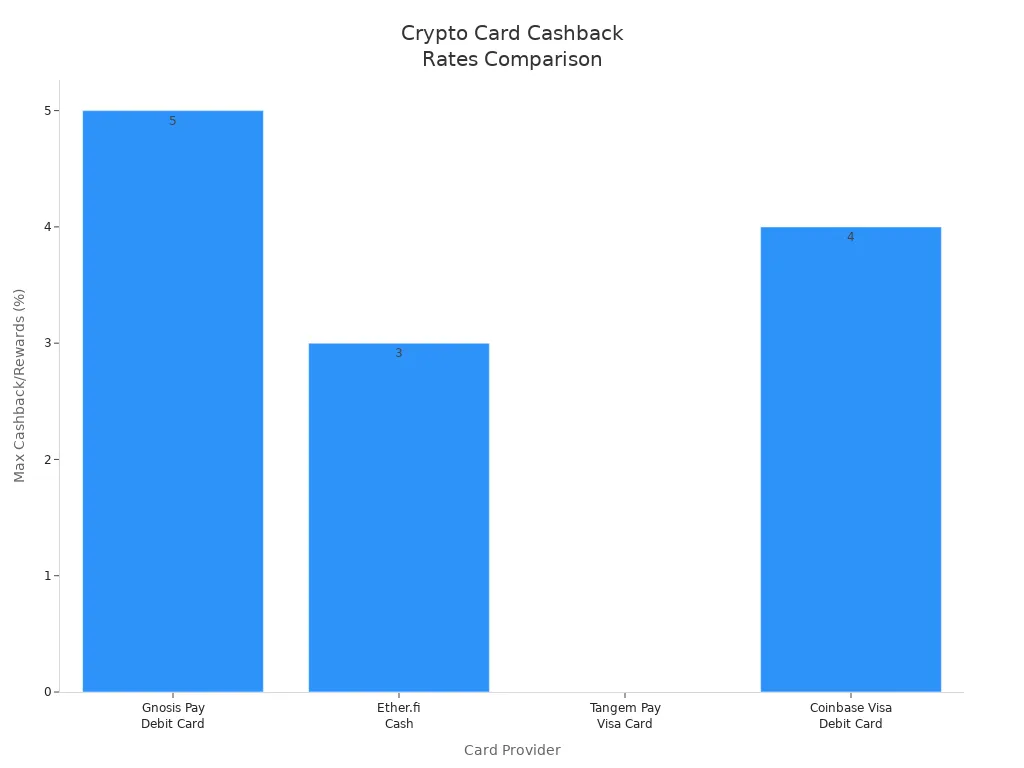
You can see that reward rates range from 1% to 8%. Some cards offer no annual fees and instant virtual cards. You should review each provider’s features to find the best fit for your needs.
Adding a crypto card to wallets
You can add your crypto card to Apple Pay or Google Pay in just a few steps. The process feels familiar if you have ever added a debit or prepaid card before. You only need your card details and a compatible device.
Apple Pay setup
To add your crypto card to Apple Pay, follow these steps:
Check if your card supports Apple Wallet. You can find this information on the provider’s website or app.
Open the Apple Wallet app on your iPhone, iPad, or Apple Watch.
Tap the plus sign (+) to add a new card. Enter your card details as prompted.
Complete any required verification steps. This may include a code sent to your phone or email.
Confirm that your card appears in the Wallet app. Try a small transaction to make sure it works.
Review your transactions regularly for accuracy and security.
Tip: If you run into issues, restart your device and check for software updates.
Google Pay setup
You can add your crypto card to Google Pay by following these steps:
Open the Google Pay app on your Android device or Chrome desktop.
Start in your card issuer’s app or wallet app for the best results.
For virtual cards, add them as soon as you see the details. For physical cards, activate the card first.
Use the “Add to Google Pay” option in the app, or enter your card number, expiry date, and security code manually.
Provide any extra information, such as your billing address or phone number, if asked.
Check that your card appears in Google Pay and test it with a small purchase.
Troubleshooting
You may face some common issues when adding a crypto card to your wallet:
Your card does not appear as an option. Check compatibility and device requirements.
Verification fails. Make sure your contact details are correct and try again.
Transactions do not go through. Restart your device or reinstall the wallet app.
Note: If problems persist, contact your card provider’s support team for help.
Using crypto cards for payments
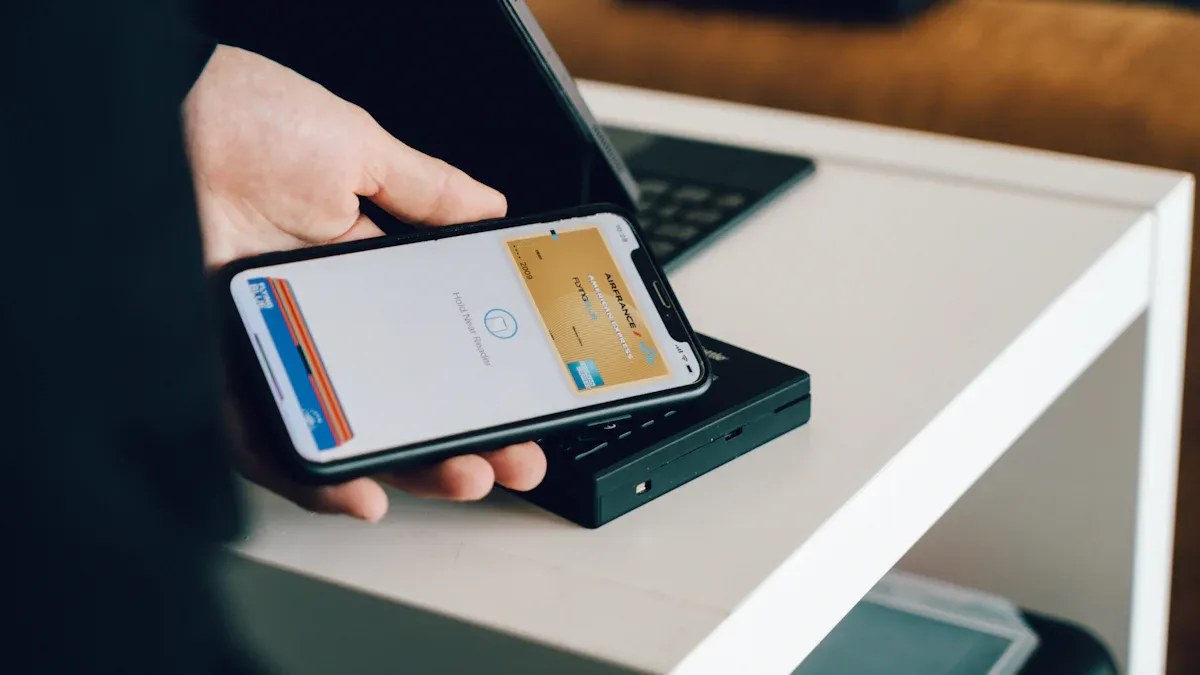
In-store and online use
You can use your crypto card almost anywhere you shop. Most cards work at millions of locations that accept Mastercard or Visa. This includes both in-store and online merchants. You can also make contactless payments with your phone or smartwatch.
Here is a quick overview of where you can use your card:
Payment Method | Description |
|---|---|
In-store | Use your card at over 150 million locations that accept Mastercard or any merchant that accepts Visa. |
Online | Shop online at stores that accept Mastercard or Visa. |
Contactless | Pay with your phone or watch using Apple Pay or Google Pay at contactless terminals. |
You do not need to worry about carrying a physical card. You can pay with your mobile device for a fast and secure checkout.
Transaction process
When you pay with Apple Pay or Google Pay, you do not spend crypto directly from your wallet. The crypto card acts as a bridge. First, your provider converts your crypto to dollars. Then, the payment goes through the Mastercard or Visa network.
Here is what you experience during a transaction:
You tap your phone or watch at checkout.
The wallet sends your card details to the payment terminal.
The provider converts your crypto to dollars instantly.
The merchant receives payment in dollars.
Tip: You can track your spending and see conversion rates in your card provider’s app.
This process feels just like using a regular debit card. You get the convenience of mobile payments with the added benefit of spending your crypto.
Limitations and security
Fees and rewards
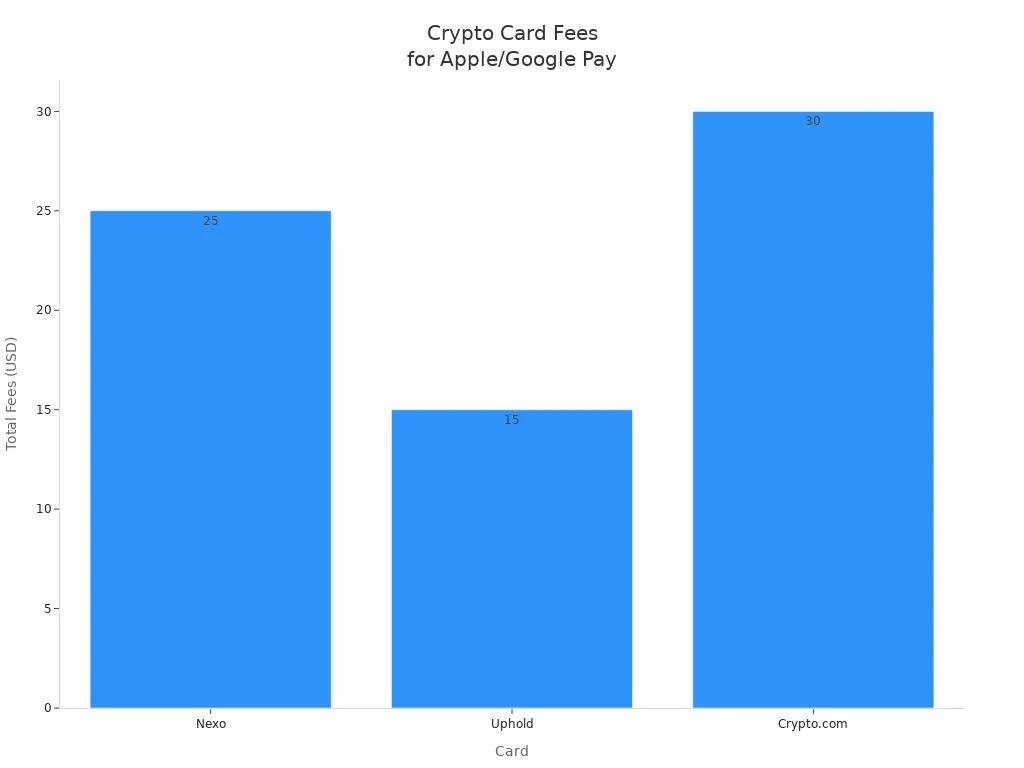
You should always check the fees before using your crypto card with Apple Pay or Google Pay. Some cards offer zero transaction fees, but others charge for currency conversion or top-ups. The table below shows common fees for popular cards:
Card | Transaction Type | Fees Description | Total Fees (USD) |
|---|---|---|---|
Wirex | EUR 500 spend abroad | 0% FX fee on purchases, conversion spread not disclosed | N/A |
Nexo | USD 1,000 spend in non-EEA currency | 2.0% FX fee ($20) + 0.5% weekend surcharge ($5) | $25 |
Coinbase | USD 500 spend using USDC balance | $0 transaction fee for USDC, FX fee not disclosed | N/A |
Uphold | USD 300 top-up via US debit card | 3.99% top-up fee ($11.97) + 1.50% FX fee ($3) | $15 |
Crypto.com | USD 500 non-USD spend | 3% FX fee ($15) + 2.99% top-up fee ($14.95) | $30 |
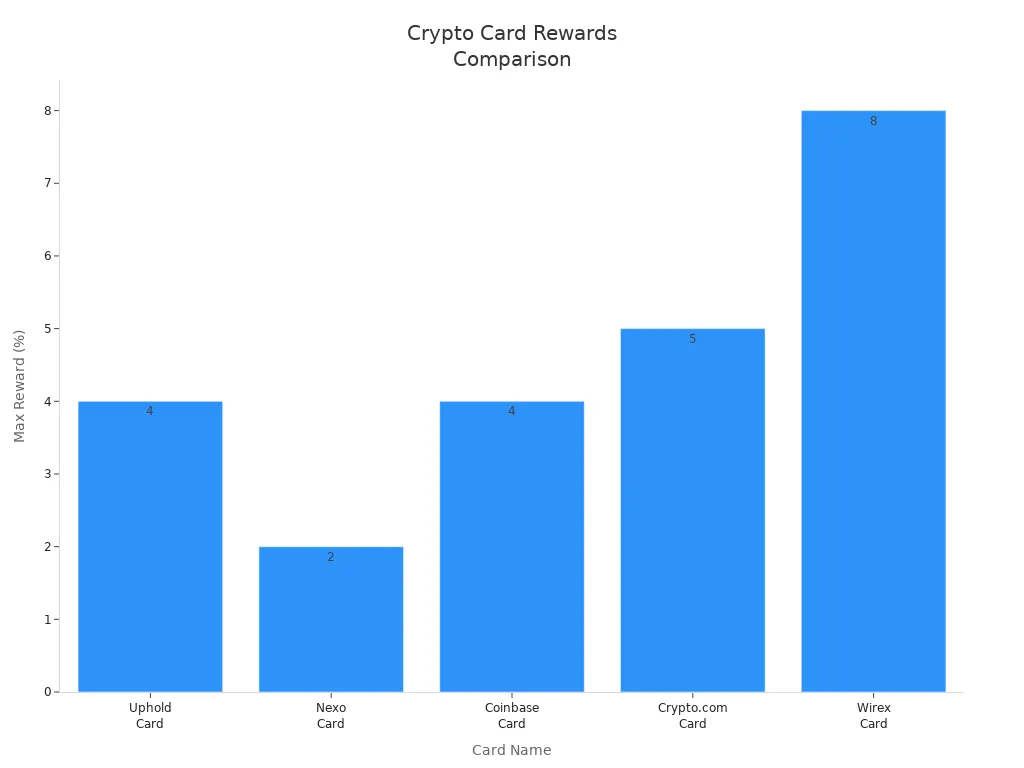
Rewards can help you save money. Some cards offer up to 8% cashback, while others provide lower rates. Review the table below for a quick comparison:
Card Name | Rewards/Cashback Opportunities | Annual Fee | Foreign Transaction Fee |
|---|---|---|---|
Uphold Card | Up to 4% back in XRP (U.S.) | $0 | None on Elite tier |
Nexo Card | Up to 2% cashback in NEXO or 0.5% in BTC | $0 | FX fees apply |
Coinbase Card | Up to 4% rotating crypto rewards (US) | $0 | None |
Crypto.com Card | Up to 5% CRO rewards | $0 | 3% on lower tiers |
Wirex Card | Up to 8% Cryptoback rewards in WXT | $0 | 0% marketed FX fees |
Tip: Always read the fine print. Some cards limit rewards or charge extra fees for certain transactions.
Spending limits
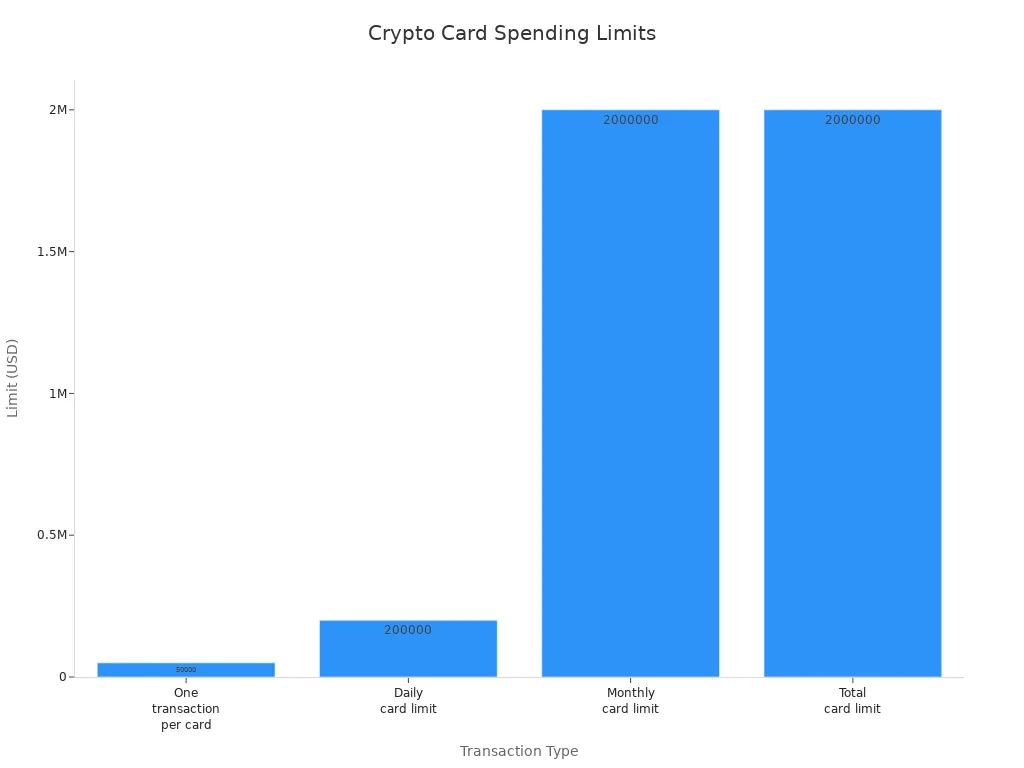
Crypto cards come with high spending limits, but you should know the exact numbers. Here are typical limits:
Transaction Type | Limit |
|---|---|
One transaction per card | $50,000 |
Daily card limit | $200,000 |
Monthly card limit | $2,000,000 |
Total card limit | $2,000,000 |
Some providers set lower limits or add fees for ATM withdrawals. Always check your card’s terms before making large purchases.
Security tips
You can trust Apple Pay and Google Pay for strong security. Both use tokenization, which means your real card number never gets shared with stores. Apple Pay uses a Device Account Number and dynamic codes for each payment. Google Pay uses device-specific tokens and keeps your card details hidden.
Feature | Apple Pay | Google Pay |
|---|---|---|
Card Storage | Unique Device Account Number (DAN) | Tokenized card details |
Tokenization | Dynamic cryptogram for every transaction | Device-specific token (DPAN) and cryptogram |
Fraud Prevention | Low fraud rates due to tokenization | Low fraud rates with similar security measures |
Privacy Philosophy | On-device isolation | Cloud coordination for flexibility |
Always use strong passwords and enable two-factor authentication on your accounts. Check your transactions often and contact support if you see anything suspicious.
You can use a crypto card with Apple Pay or Google Pay at many U.S. merchants. Always check your provider and device for compatibility before adding a card. Review the table below to compare fees, rewards, and security features:
Feature | Description |
|---|---|
Fees | No annual fee, 0% foreign transaction fees, ATM withdrawals free up to limit |
Rewards | Up to 8% rewards at higher tiers, paid in WXT (value fluctuates) |
Security | Strong in-app controls, but rewards value may change |
Mobile wallet integration continues to grow. You may see more options and better compatibility as retailers and banks adopt new technology. Explore your options and stay informed for the best experience.
FAQ
Can you add any crypto card to Apple Pay or Google Pay?
No. Only cards that support mobile wallets work. Always check your card provider’s website or app for compatibility before you try to add it.
What makes UUPAY a secure choice for mobile payments?
UUPAY holds a US MSB license and PCIDSS Level 1 certification. You get 24/7 global support and strong compliance for safe transactions.
Are there any special offers for new UUPAY users?
Yes! You pay only 1U for a virtual card and get 1U back. All users enjoy zero card recharge fees.
See Also
Evaluating USDC Payment Cards Against Top Crypto Card Choices
Comprehensive Guide to Web3 Payment Cards for Southeast Asia
UUPay Crypto Card Attributes Versus Competing Crypto Card Options
UUPay's In-Depth Guide to Multi-Currency Cards for Unbanked
Top Strategies for Utilizing Crypto Travel Cards on Google Play
