How to Pay for Lazada Vietnam Cross-Border Orders With a Virtual Card
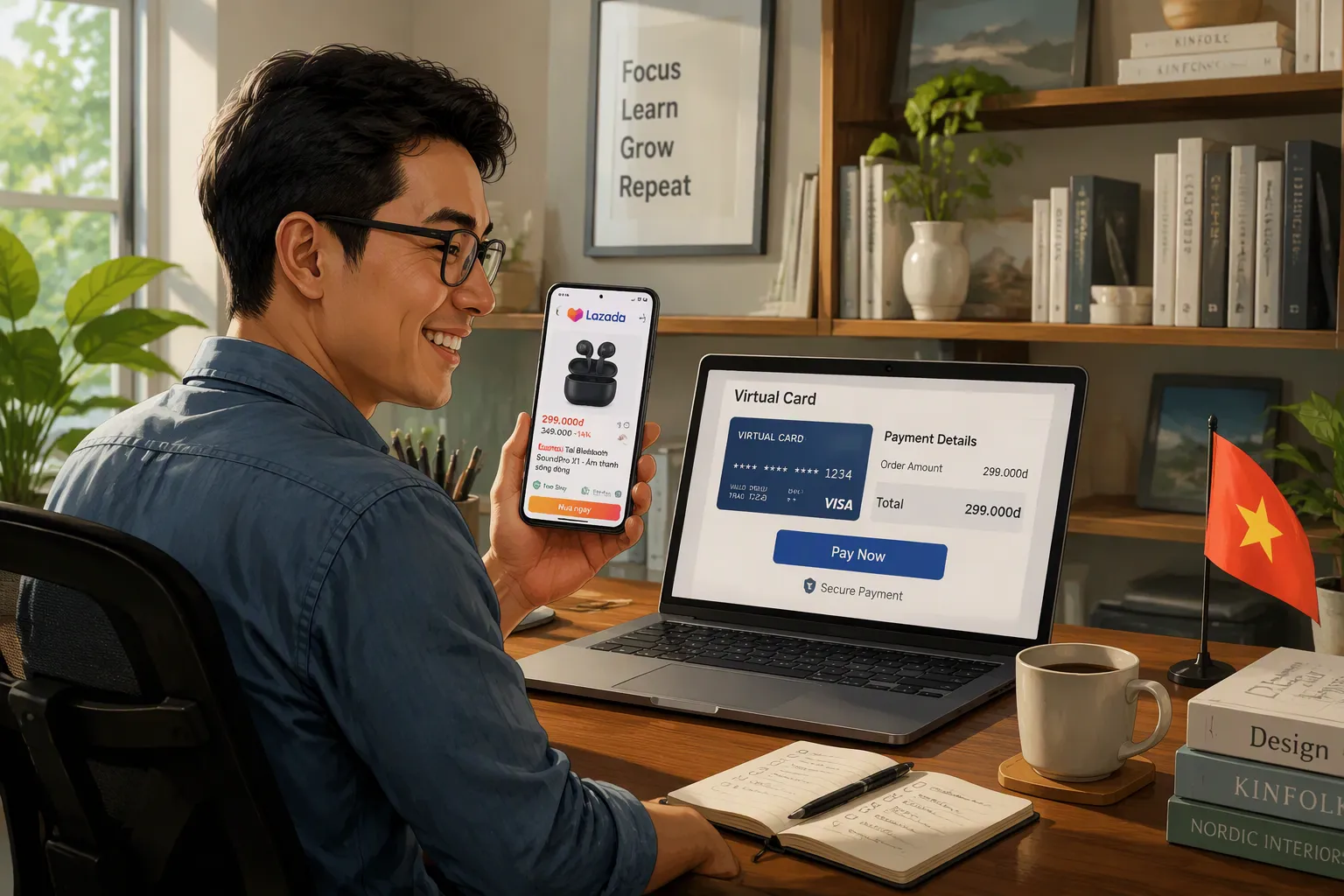
Yes, you can pay for Lazada Vietnam cross-border orders with a virtual card — here is exactly how. Get a virtual card, enable international payments, enter your card details at checkout, then confirm with OTP. Will, UUPAY's senior Web3 payment expert, explains each step.
Key Takeaways
Get a virtual Visa or Mastercard and turn on international payments and 3D Secure.
Enter your card details at checkout and confirm the payment with an OTP code.
Use UUPAY for no recharge fees, strong security, and 24/7 support.
What You Need for Lazada Vietnam Cross-Border Orders
You need three things ready before checkout for Lazada Vietnam Cross-Border Orders: a valid virtual card, international payment access, and a way to confirm the transaction.
A Visa or Mastercard Virtual Card
Lazada Vietnam accepts Visa and Mastercard for online orders. It supports cash on delivery for cross-border orders, too — Lazada was the first Vietnamese shopping site to offer COD for cross-border products. December 11-14 mega sales will bring even more options.
Virtual Visa cards register on e-commerce sites just like physical cards. OnePAY processes international Visa and Mastercard payments for Vietnamese online merchants. Visa partnered with VNPAY to launch virtual Visa prepaid cards tied to a VNPAY wallet; these cards work wherever Visa is accepted. Vietnam's central bank licenses FinFan, a neobank offering virtual cards for local B2B e-commerce.
Cross-border shoppers will find UUPAY a strong option. It issues virtual cards, and new users get a virtual card for 1U plus 1U cashback. UUPAY holds US MSB and PCIDSS Level 1 credentials, offers 24/7 support, and its referral program earns you up to 50% commission.
International Payments and 3D Secure Enabled
Your card must support international transactions. Lazada Vietnam does not directly support foreign credit cards, so a domestic-only card will fail. You also need 3D Secure enabled. Lazada confirms online payments with an OTP or a 3D Secure prompt.
UUPAY supports both international payments and 3D Secure/OTP, so your checkout can complete without contacting customer service. Before you start, check your card balance — the exact amount plus any cross-border fee must be available. Also confirm your billing address matches what you enter at checkout.
How to Pay for Lazada Vietnam Cross-Border Orders
Checkout begins with a payment method choice. Lazada Vietnam asks you to select "Credit/Debit Card" or "International Card" from the options. This choice opens the card payment form. You will see fields for the card number, expiry date, and security code.
Enter Your Virtual Card at Checkout
Find the card details field on the payment page. Your virtual card works exactly like a physical Visa or Mastercard. Enter the card number, the expiry date, and the CVV code. UUPAY displays these details in your dashboard. Copy them carefully. One typo will reject the transaction. Double-check each digit before you proceed.
Your billing address must match the information on file with your card issuer. Lazada uses this address for verification. Enter it exactly as you registered it. A mismatch can cause an automatic decline even with sufficient balance. If your virtual card comes from a provider outside Vietnam, use the address you registered with that provider.
Some cross-border checkouts offer a checkbox for saving the card. You can skip that option. A virtual card already adds a layer of protection. Saving it only creates an unnecessary record.
Verify your balance before you click the final button. The total includes the product price, shipping, and any cross-border fee. Your card must cover the full amount. If the balance falls short, the payment fails immediately. UUPAY shows your available balance in real time, so you can top up before proceeding.
Confirm Payment With OTP or 3D Secure
You submit the card details. Lazada then redirects you to a 3D Secure page. Your bank or card provider controls this step. The system sends a one-time password to your phone or email. Enter that code in the prompt to authorize the payment.
UUPAY supports this verification process. The service enables international payments and 3D Secure by default. The prompt appears without extra setup. Some banks display the confirmation inside their mobile app. You approve the transaction there instead of typing a code.
The confirmation process finishes quickly. The system verifies the code, and Lazada processes the order. You receive a confirmation page with an order number. The merchant then prepares the shipment. Cross-border shipping takes additional time, but the payment side is complete.
Keep your phone nearby during checkout. The OTP expires after a short window. Re-entering the card details becomes necessary if you miss it. That process takes another few minutes but remains straightforward.
Your payment confirmation also acts as a receipt. It shows the exact amount charged in VND or your home currency. Save that screenshot for reference. Lazada Vietnam Cross-Border Orders proceed smoothly once the verification completes.
Fixing Failed Payments, Fees, and Security
What to Do If Your Payment Fails
Four issues cause most failed payments. Your balance may fall short of the total. Your bank may block an international transaction. The currency conversion may mismatch your card's settlement currency. Lazada may reject your card type.
Start with the simplest fix. Check your balance first. Confirm your card enables international transactions. Contact your card issuer if the bank blocked the payment. Ask them to allow cross-border purchases. A one-time virtual card can bypass a stubborn block. A different card often works too.
Lazada Vietnam's Help Center offers guidance on failed transactions. It covers declined cards, insufficient funds, and regional restrictions.
Fees, Currency, and Safety Tips
Cross-border orders trigger two extra costs. A cross-border fee applies to each transaction. A currency conversion fee applies when your card settles outside VND. Your total at checkout shows the exact amount in VND. Your card provider converts that amount at its exchange rate. Review that rate before you confirm.
A UUPAY virtual card brings strong safety protection:
Digital-only issuance removes the risk of physical theft or skimming.
Instant lock/unlock stops suspicious activity in seconds.
CVV or full card number regeneration contains credential leaks.
Online-only design blocks ATM withdrawals entirely.
Pair the card with smart habits. UUPAY holds a US MSB license and PCIDSS Level 1 certification. Keep transaction limits low for everyday purchases. Use a disposable virtual card for unknown merchants. Never share your card number or CVV. Pay only on HTTPS-secured pages. Review your transaction history regularly. Cash on delivery remains a reliable backup for Lazada Vietnam Cross-Border Orders when card payments keep failing.
Prep your UUPAY virtual card, enable international payments, check your balance first. Enter your card details at checkout, then confirm with OTP. Once your UUPAY card is active, paying for Lazada Vietnam Cross-Border Orders becomes very straightforward. Keeping a backup or disposable virtual card on hand ensures smoother future orders.
FAQ
Can I use a virtual card for Lazada Vietnam Cross-Border Orders?
Yes. Lazada Vietnam accepts Visa and Mastercard, and a virtual card works the same way at checkout. Just enable international payments and 3D Secure first.
What if my card keeps getting declined?
Check your balance, confirm international transactions are on, and ask your issuer to allow cross-border purchases. A disposable UUPAY card or cash on delivery also works.
Does UUPAY charge fees for this?
UUPAY charges no recharge fees, and new users get a card for 1U plus 1U cashback. It also holds a US MSB license and PCIDSS Level 1 certification.
See Also
Pay Lazada Orders In Thailand Using Multi-Currency Crypto Cards
Top Methods For Booking International Flights In Vietnam With Virtual Crypto Cards
How Southeast Asia Users Can Benefit From Virtual Crypto Cards For Marketplace Fees
Practical Steps To Pay Utility Bills Abroad In Vietnam Using USDT Visa Cards
Top Ways To Use Crypto Debit Cards For Lazada Orders In Malaysia
