How to Pay Suppliers With a Crypto Card When Doing Shopify Dropshipping From Vietnam
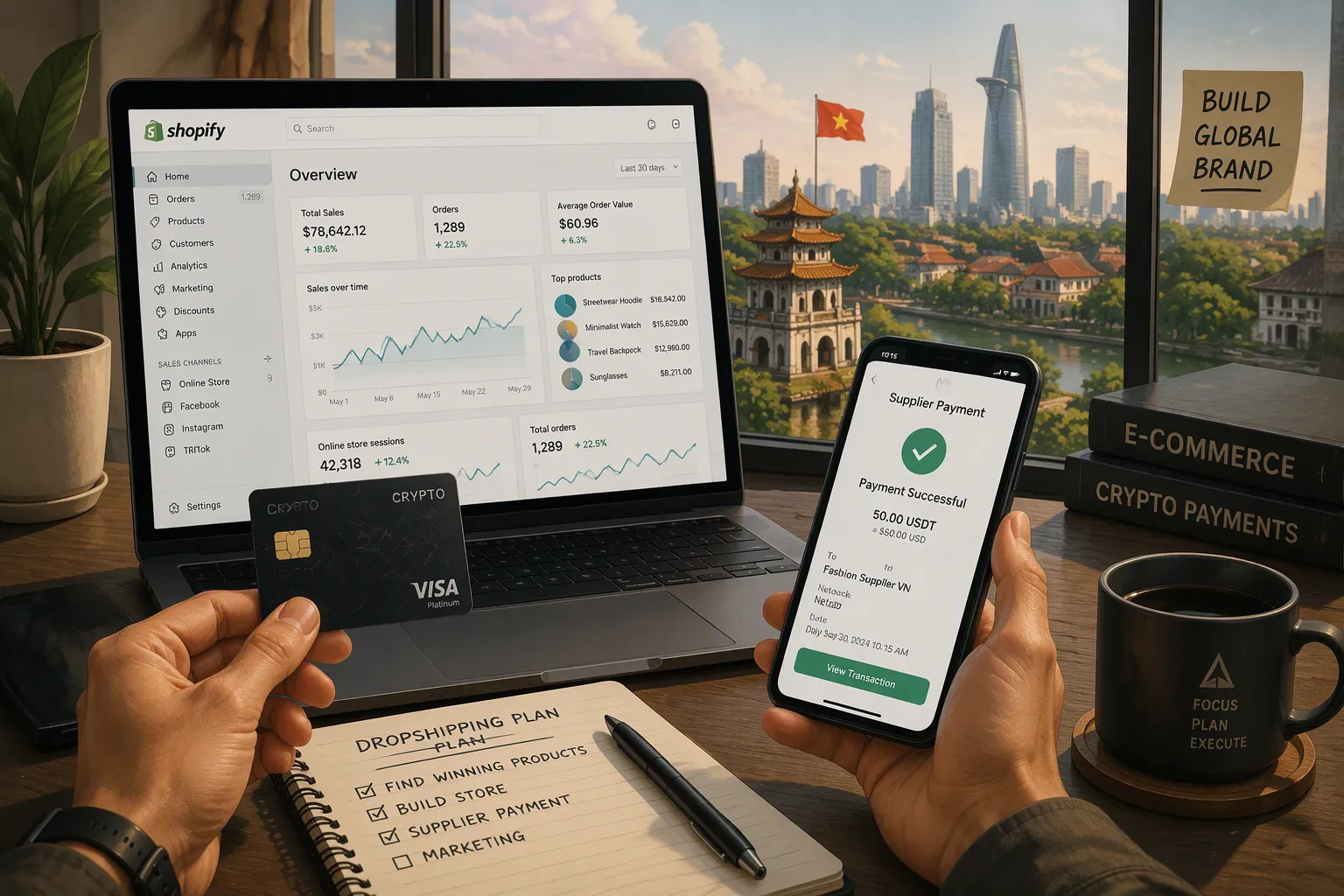
Use a crypto-linked Visa or Mastercard funded with USDT or USDC. Then pay your supplier through a Shopify payment link or by entering the card details on the supplier's checkout page. This method works well for Shopify Dropshipping From Vietnam. Here is how to set this up and what to watch for.
Key Takeaways
Use a crypto card to pay suppliers instantly and avoid bank delays.
Set up UUPAY with USDT or USDC for smooth Shopify dropshipping payments.
Test small payments first and keep a backup method for declined cards.
Why a Crypto Card Works for Shopify Dropshipping From Vietnam
Bank transfers and PayPal create friction for suppliers. A wire transfer can take several business days and pass through multiple intermediary banks. PayPal often holds funds for review or blocks payments to certain countries. A crypto-linked Visa or Mastercard removes those bottlenecks. Spending crypto feels no different from swiping a regular card, and the supplier gets an approved payment in seconds. This speed matters for Shopify Dropshipping From Vietnam, where a delayed payment delays your shipment.
Local e-wallets like MoMo and ZaloPay are useful within Vietnam, but they do not handle cross-border payments. A crypto card bridges that gap.
Speed and Lower Fees Compared to Bank Transfers
To pay by bank transfer, you must collect supplier banking details, wait for clearance, and pay wire fees. A crypto card compresses this into one checkout: enter the card number, expiry, and CVC, and the network authorizes the payment immediately. Your supplier can fulfill the order the same day.
Predicting card fees is easier. A SWIFT transfer accumulates correspondent bank charges on both ends. A crypto card bundles conversion and payment into one transaction, so you see the total cost before confirming. You also avoid PayPal's high cross-border fees.
Avoiding Banking Restrictions on International Payments
Vietnamese banks sometimes require documents for international transfers, or they block payments to high-risk countries. A crypto card avoids these reviews. You convert crypto to fiat in the card app and spend like a normal Visa or Mastercard. No bank questions your business model.
Sudden blocks also become unlikely. Card networks do not evaluate your dropshipping arrangement. They only verify that the card is valid and funded. That means you can pay suppliers consistently through Shopify Payments or any standard checkout page without repeated approval delays.
How to Set Up UUPAY for Shopify Dropshipping From Vietnam

What You Need Before Paying
Before you pay any supplier, confirm four things. First, you need a verified UUPAY crypto card. UUPAY holds a US MSB license, Swiss and Canadian licenses, and a Hong Kong registration, with a Brazil application pending. The platform also carries PCIDSS Level 1 certification and offers 24/7 support. Second, your supplier must accept Visa or Mastercard. Third, fund your UUPAY balance with USDT or USDC. Fourth, confirm your supplier accepts card payments for the order.
UUPAY currently offers a new user virtual card for 1U with 1U cashback, plus free top-up fees. The physical card has launched with up to 50% cashback. These promotions lower your starting cost significantly. UUPAY also provides flight and hotel booking, eSIM, and chat services inside the app. If you refer other sellers, you can earn up to 50% commission.
Step-by-Step Payment Process
Open the UUPAY app and convert your USDT or USDC to fiat. The app handles the conversion at the current rate. Next, add your UUPAY card to Shopify Payments as a payment method, or use it directly on the supplier's invoice page. Enter the card number, expiry date, and CVC code.
Your bank or card issuer may then trigger 3-DS authentication. 3-DS is a security step where your card issuer sends a code to your phone or asks you to approve the payment in an app. You enter that code or tap approve, and the payment completes. Once the supplier receives approval, they process your order.
This workflow keeps your Shopify Dropshipping From Vietnam operation running without bank delays. Test the process with a small order first. A successful test payment confirms your card works, your supplier accepts it, and your 3-DS setup functions correctly.
Fees, Limits, and Fixing Declined Card Payments
Understanding Fees, Limits, and Crypto Volatility
Every crypto card carries costs. UUPAY charges a card issuance fee, though the current promotion offers a virtual card for 1U with 1U cashback and free top-up fees. The physical card has launched with up to 50% cashback. These promotions reduce your upfront cost, but you should still plan for standard fees after the promotional period ends.
Top-up fees apply when you load USDT or USDC onto the card. Foreign transaction fees may apply when the card network converts currencies during a supplier payment. Check your UUPAY app for the exact fee schedule before you commit to a large order.
Daily and monthly spending limits also apply. These limits protect the card network and your account. A new verified card typically starts with lower limits. Your limits may increase as your payment history grows. Plan your supplier payments around these caps. Split a large order into smaller payments if needed.
Crypto volatility adds another layer of risk. USDT and USDC are stablecoins pegged to the US dollar, so their value stays relatively stable. Other cryptocurrencies can swing sharply in price. If you fund your card with a volatile asset, convert it to fiat immediately. A sudden price drop between funding and payment could leave your card short.
What to Do When a Payment Is Declined
A declined payment is frustrating, but most declines have simple fixes. Insufficient funds is the most common cause. Check your UUPAY balance and top up if needed. Remember that conversion fees and transaction fees reduce your available balance.
3-DS failures also cause declines. Your card issuer may send a code to your phone, and you must enter it within a short window. If you miss that window, the payment fails. Open your UUPAY app and approve the payment manually if the code does not arrive.
Some suppliers do not accept prepaid or crypto-linked cards. Their payment processor may block the transaction even when your card is valid. Contact the supplier and ask about their card acceptance policy. If they cannot accept your card, use a fallback method.
Wise and Payoneer offer alternative payment routes for Shopify Dropshipping From Vietnam. A traditional bank transfer works as a last resort. These options take longer than a crypto card, but they keep your supplier relationship intact. Keep one fallback method ready before you scale your order volume.
Fund your UUPAY crypto card with USDT or USDC. Then pay your supplier through Shopify Payments or directly on their checkout page. This remains the fastest reliable method for Shopify Dropshipping From Vietnam. Declines and fees stay manageable when your card is verified, funded, and used as a Visa or Mastercard. Run a small test payment with a supplier before scaling up.
FAQ
How do I reduce crypto price risk before paying a supplier?
Convert USDT or USDC to fiat in the UUPAY app right before checkout. Stablecoins track the dollar closely, but immediate conversion removes any sudden price surprise.
