Top 3 digital crypto card picks for safe storage

You want a digital crypto card that is safe and easy to use. UUPAY Crypto Card, CL Card, and Nexo Card protect your money well. You can use these cards to change money fast. They work for travel and daily spending. People trust digital gold as a way to keep and send money. These cards support many cryptocurrencies. Many people use them, so your money stays safe. Pick these digital crypto cards for strong safety and lots of users.
Key Takeaways
Pick UUPAY if you want strong security and no fees right now. It works with more than 30 cryptocurrencies and gives big referral rewards.
Choose CL Card if you care about cold wallet safety and use Ledger. It has good security features and supports over 20 cryptocurrencies.
Go with Nexo Card for flexibility and rewards. It works with more than 40 cryptocurrencies and lets you spend instantly with real-time alerts.
Digital Crypto Card Comparison
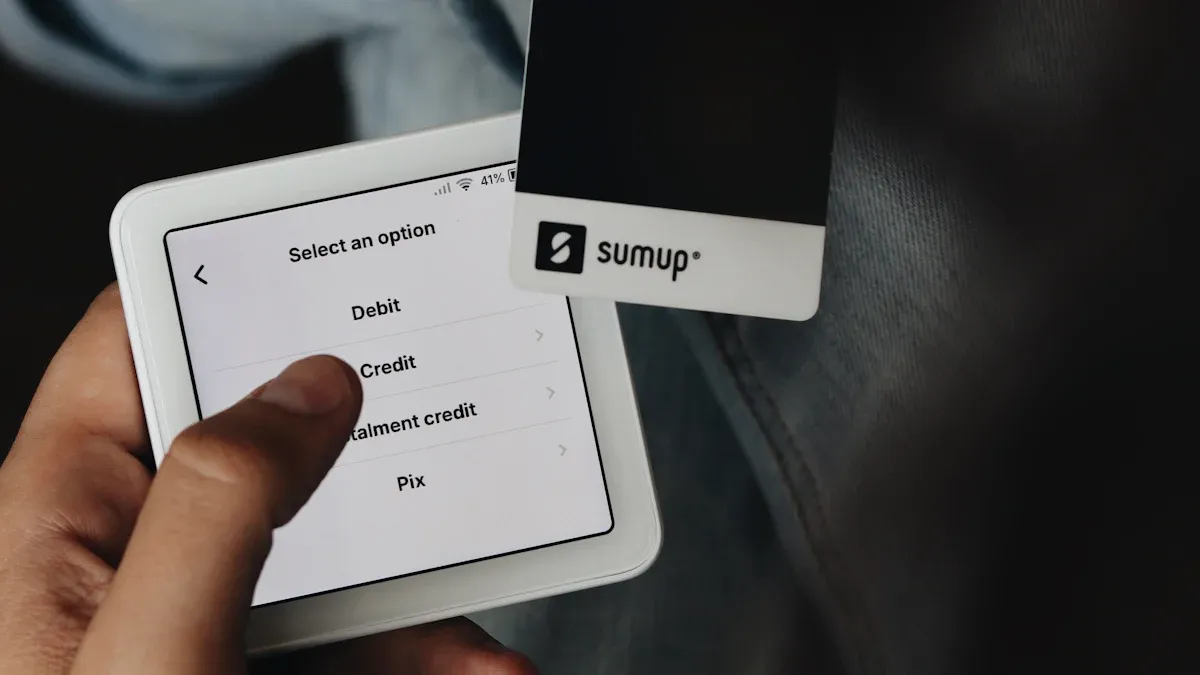
You want to find the right digital crypto card for you. Let’s see how UUPAY, CL Card, and Nexo Card compare. The table below shows what each card can do.
Card | Security Features | Supported Cryptocurrencies | User Experience | Unique Advantages |
|---|---|---|---|---|
UUPAY | Strong compliance, MSB license, Swiss and HK regulation | 30+ cryptocurrencies | Easy app, fast setup | No card or deposit fees, high referral rewards, trusted in Asia |
CL Card | Ledger-grade security, cold wallet integration | 20+ cryptocurrencies | Simple for Ledger users | Connects with Ledger, extra safe storage |
Nexo Card | Real-time encryption, instant freeze | 40+ cryptocurrencies | Smooth app, instant spending | Earn rewards, flexible repayment options |
Security Features
Security is very important. UUPAY follows strict rules and has licenses in three countries. CL Card works with Ledger, so your crypto stays extra safe. Nexo Card lets you freeze your card fast if something goes wrong. These features help you feel safe using your card.
Supported Cryptocurrencies
You want lots of options. UUPAY lets you use over 30 cryptocurrencies. CL Card supports more than 20. Nexo Card gives you over 40 choices. You can keep, spend, and swap many cryptocurrencies with these cards.
User Experience
You want a card that is simple to use. UUPAY has an easy app and quick setup. CL Card is best if you already use Ledger. Nexo Card lets you spend your crypto right away and has a smooth app. These cards help make using crypto every day easy.
Unique Advantages
Each card has something special. UUPAY has no card or deposit fees and gives big referral rewards. CL Card connects with Ledger for extra safety. Nexo Card gives you rewards when you spend. If you live in the EU and use euros, try Bleap Crypto Card. Many people in Europe trust Bleap for safety and local use.
UUPAY Crypto Card Review
Security & Compliance Security is the foundation of trust. UUPAY sets a high bar with a multi-license framework, including a US MSB license, Hong Kong registration, and a Swiss financial license. This institutional-grade compliance ensures user assets are protected under international standards.
Pro Tip: Use the instant "Freeze" feature in the app to secure your funds immediately if suspicious activity occurs.
Supported Cryptocurrencies Diversity drives utility. UUPAY supports 30+ assets, ensuring high liquidity for your portfolio.
Top Picks: BTC, ETH, USDT (TRC20/ERC20), USDC, SOL, and MATIC.
The Edge: Direct conversion to fiat with real-time exchange rates, avoiding the slippage found on smaller platforms.
Usability & Market Competition The 2026 upgrade to uupay.com has streamlined the user experience. Compared to other cards, UUPAY is a "market disruptor" due to its current 0 Fee Promotion:
UUPAY: $0 Opening Fee | 0% Recharge Fee | 0 Monthly Fee.
Competitors: Usually charge $10+ for opening and 1-2% per top-up.
This makes UUPAY the most cost-effective choice for Apple Pay, travel, and online subscriptions like ChatGPT.
Real-User Feedback "I saved over $100 in fees this month alone by switching to UUPAY for my daily Grab and coffee runs. The Apple Pay integration is flawless." — Verified User.
Feature | Details |
|---|---|
Card Opening Fee | $0 (promotion) |
Recharge Fee | $0 (promotion) |
Referral Program | Up to 50% commission |
App Availability | iOS, Android, Web |
Pros & Cons
Pros:
Top-tier global compliance (US/Swiss/HK).
Zero-fee promotion (limited time).
High referral rewards (up to 50% commission).
Cons:
Brazil license is still pending.
Fee structure may adjust after the 2026 promotion.
CL Card (Ledger/Baanx) Review
Security Features
You want to keep your money safe. The CL Card gives you strong security because it works with Ledger. Ledger is famous for its hardware wallets. You can store your cryptocurrencies in a cold wallet. This means your coins stay offline and away from hackers. You control your private keys, so you decide when to move your funds. The CL Card uses two-factor authentication. You get alerts for every transaction. If you lose your card, you can freeze it right away. Many people trust this system because Ledger has a good record for keeping assets safe.
Tip: Always keep your recovery phrase in a safe place. This helps you get your cryptocurrencies back if you lose your device.
Supported Cryptocurrencies
You want choices when you spend or save. The CL Card supports more than 20 cryptocurrencies. You can use popular coins like Bitcoin, Ethereum, and USDT. You also get support for coins like Litecoin, XRP, and Polygon. The card works with many ERC-20 tokens. You can swap between these cryptocurrencies inside the app. If you like to try new coins, you will find many options here. The CL Card team adds new cryptocurrencies often. You can check the app for the latest list.
Here are some of the main cryptocurrencies you can use with the CL Card:
Bitcoin (BTC)
Ethereum (ETH)
Tether (USDT)
USD Coin (USDC)
Litecoin (LTC)
Ripple (XRP)
Polygon (MATIC)
You can pay, save, or swap these cryptocurrencies anytime. This makes the CL Card flexible for your daily needs.
User Experience
You want a card that feels easy to use. The CL Card works best if you already use Ledger. You can connect your Ledger wallet to the CL Card app. The setup takes just a few minutes. The app has a simple design. You can see your balance, track spending, and manage your cryptocurrencies in one place. If you need help, you can reach customer support through the app. Many users say the app feels smooth and fast. You can freeze or unfreeze your card with one tap. You get instant alerts for every transaction. This helps you stay in control.
Feature | Details |
|---|---|
App Integration | Works with Ledger Live |
Card Freeze | Instant freeze/unfreeze |
Alerts | Real-time transaction alerts |
Customer Support | In-app chat and help center |
Note: If you use Ledger, you will find the CL Card fits right into your daily routine.
Pros & Cons
Let’s look at what you gain and what you might miss with the CL Card.
Pros:
Top-level security with Ledger integration
Cold wallet storage for cryptocurrencies
Supports 20+ cryptocurrencies
Easy app for Ledger users
Instant freeze and real-time alerts
Trusted by many in the crypto world
Cons:
Best experience if you already own a Ledger device
Fewer supported cryptocurrencies than some other cards
Some features may feel advanced for new users
Best For
You want a card that matches your needs. The CL Card works best for you if you already use Ledger or want the highest security for your cryptocurrencies. If you value control and want to keep your assets offline, this card is a smart choice. You should pick the CL Card if you trust Ledger and want to manage your crypto with extra safety. This card is also great if you want to swap and spend many types of cryptocurrencies in one place.
If you want to combine strong security with easy spending, the CL Card gives you peace of mind and flexibility.
Nexo Card Review
Security & Encryption
You want your money to be safe. Nexo Card uses strong security to keep your funds safe. The card has real-time encryption, so your data stays private. You can freeze your card right away if you see something odd. Nexo uses two-factor authentication for extra safety. You get alerts every time you use your card. These features help you feel safe and in control. Many people trust Nexo because it keeps assets secure.
Tip: Always turn on two-factor authentication in your Nexo app. This gives your account more protection.
Supported Cryptocurrencies
Nexo Card gives you many choices. The card supports over 40 cryptocurrencies. You can use popular coins like Bitcoin, Ethereum, and USDT. You also get coins like Solana, Polygon, and XRP. Nexo adds new cryptocurrencies often, so you get fresh options. You can spend, swap, or hold these cryptocurrencies in the app.
Here are some main cryptocurrencies you can use with Nexo Card:
Bitcoin (BTC)
Ethereum (ETH)
Tether (USDT)
USD Coin (USDC)
Solana (SOL)
Polygon (MATIC)
Ripple (XRP)
You can use these cryptocurrencies for shopping, travel, or online payments. Nexo makes it easy to manage your digital assets in one place.
Usability
You want a card that is simple and quick. Nexo Card gives you a smooth experience. The app is easy to use. You can check your balance and track spending fast. You can manage your cryptocurrencies with just a few taps. You can spend your crypto right away. The card works online and in stores. If you need help, Nexo has a support team ready to help you. You can freeze or unfreeze your card instantly. You get alerts every time you use your card. This helps you stay in control of your money.
Feature | Details |
|---|---|
App Availability | iOS, Android, Web |
Card Freeze | Instant freeze/unfreeze |
Rewards | Earn up to 2% back in crypto |
Customer Support | 24/7 live chat |
Note: You can use Nexo Card anywhere Mastercard is accepted. This gives you more ways to spend your cryptocurrencies.
Pros & Cons
Let’s see what you get and what you might miss with Nexo Card.
Pros:
Strong security and real-time encryption
Supports 40+ cryptocurrencies
Easy-to-use app and instant spending
Earn rewards on every purchase
Instant freeze and real-time alerts
Trusted by many users worldwide
Cons:
Some rewards depend on your loyalty level
Not all cryptocurrencies are available in every country
Physical card may take time to arrive
Best For
You want a card that fits your life. Nexo Card is best if you want lots of choices and easy spending. If you like earning rewards, this card gives you extra value. You should pick Nexo Card if you want to manage many cryptocurrencies in one app. If you travel or shop online, you will enjoy the flexibility. Many people trust Nexo for its security and many features.
If you want a flexible, safe, and rewarding way to use your cryptocurrencies, Nexo Card is a smart choice.
Choosing Your Digital Crypto Card
Assessing Security Needs
You want your digital assets to stay safe. Start by thinking about how much security you need. If you hold a lot of value, hardware wallets give you the best protection. These wallets keep your store of value offline. Some cards, like the CL Card, work with hardware wallets for extra safety. Always check if the card lets you freeze transactions fast. You should also look for two-factor authentication. This helps you control your asset and keeps your digital assets safe from hackers.
Supported Cryptocurrencies
Not every card supports the same cryptocurrencies. Make a list of the coins you use most. Pick a card that lets you use your favorite store of value. Some cards support only a few digital assets, while others offer more choices. If you want to try new cryptocurrencies, choose a card that adds new coins often. This way, you can grow your store of value over time.
Usability Factors
You want a card that feels easy to use. Check if the app works on your phone. Look for simple ways to track transactions and manage digital assets. Some cards let you spend your store of value anywhere. Others focus on online transactions. Try to pick a card that matches your daily habits.
How to Trade Cryptocurrencies
Learning how to trade cryptocurrencies helps you get more from your card. Most apps show you how to trade cryptocurrencies step by step. You can swap digital assets, buy new coins, or sell them for cash. Always check the fees before you trade. If you want to know how to trade cryptocurrencies safely, start with small transactions. Over time, you will learn how to trade cryptocurrencies with more confidence. Remember, practice makes perfect when you learn how to trade cryptocurrencies.
You have three strong choices. UUPAY gives you top security and great rewards. CL Card works best if you want cold wallet safety. Nexo Card lets you earn rewards and spend many coins. Think about what matters most to you. Always check each card’s features before you decide.
FAQ
How do I start using a digital crypto card?
You sign up in the app, complete verification, and order your card. After setup, you can use it for spending, storing, or trading your cryptocurrencies.
Can I use my card for crypto trading?
Yes, you can use your card’s app for crypto trading. You buy, sell, or swap cryptocurrencies easily. The app guides you through each step.
What should I do if I lose my card?
You freeze your card in the app right away. This stops all spending and trading. Contact customer support for help with a replacement.
See Also
Selecting the Right Crypto Card for Your Security Needs
Best Non-KYC Crypto Cards to Consider in 2026
Steps to Obtain Your Own Crypto Card Easily
