How to troubleshoot stablecoin cards to pay Facebook Ads for cross-border sellers

Payment failures on facebook can stop your ads and hurt your business. You need to troubleshoot stablecoin cards quickly when facebook declines your payment. Issues like insufficient funds or unsupported card types often cause problems. Fast action helps you keep your facebook ads running and reach your customers.
Key Takeaways
Identify payment failures quickly. Check for error messages from Facebook to understand the issue.
Ensure your card details are correct. Double-check the card number, expiration date, and CVV before submitting payments.
Monitor your card balance regularly. Keep sufficient funds in your stablecoin card to avoid payment declines.
Troubleshoot Stablecoin Cards
Common Payment Failures
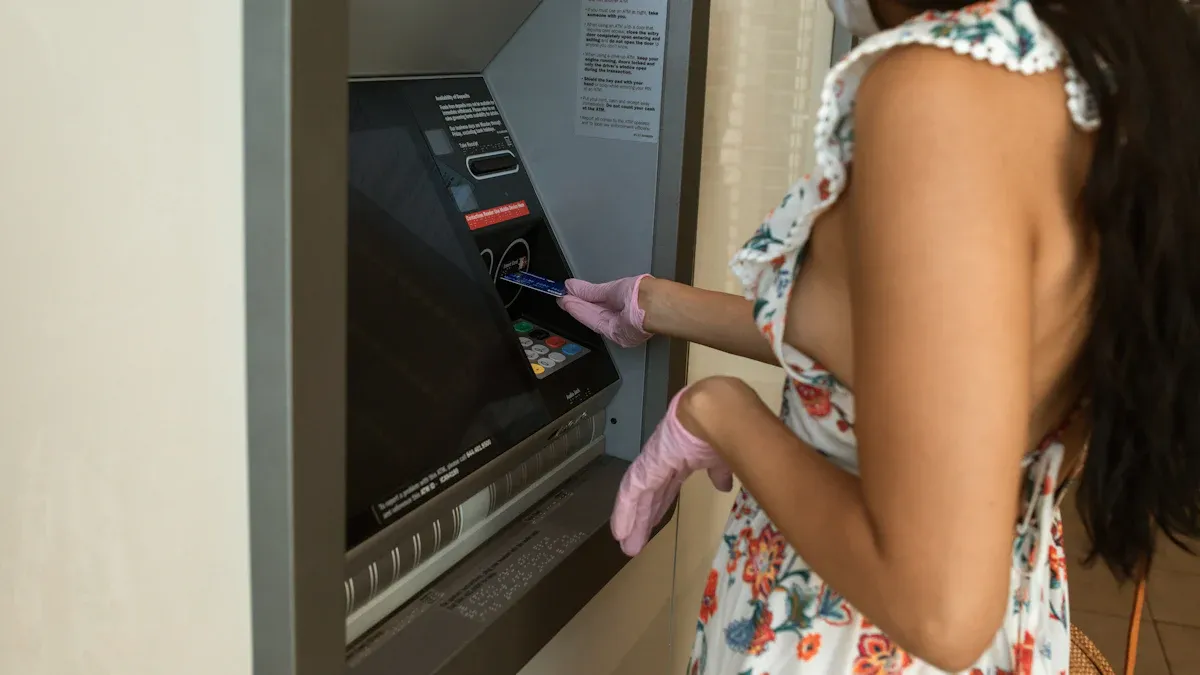
You may face payment failures when you try to pay for facebook ads with a stablecoin card. These failures can stop your ads and affect your business. The most frequent issues include card declines, insufficient funds, unsupported card types, and pre-authorization problems. Sometimes, facebook rejects your virtual dollar card because it does not meet their requirements for cross-border payments. You might also see failures if your card provider blocks international transactions.
To troubleshoot stablecoin cards, you should first identify the reason for the payment failure. Check if facebook gives you an error message. If you see a decline, review your card status and transaction history. Make sure your virtual dollar card is active and ready for cross-border payments. If you use UUPAY, you benefit from no card opening fee, recharge fee as low as 1%, and no annual fee. These features help you avoid extra costs when you troubleshoot stablecoin cards for facebook ads.
Tip: Always keep a record of your payment attempts and error messages. This helps you explain the issue to support teams if you need help.
Card Details and Available Funds
Incorrect card details often cause payment failures. You must enter the right card number, expiration date, and CVV when you pay for facebook ads. Double-check your information before you submit your payment. If you use a virtual dollar card, make sure the card matches the billing address on your facebook account.
You also need sufficient funds in your stablecoin card account. Payment failures happen when your balance is too low. Log in to your card provider, such as UUPAY, and check your available funds. If your balance is low, recharge your card before you pay for facebook ads. UUPAY offers a recharge fee as low as 1%, which makes it easier to keep your card ready for payments.
Step | What to Check | Why It Matters |
|---|---|---|
Card Details | Card number, expiration, CVV | Prevents entry errors |
Available Funds | Account balance | Avoids payment failures |
Billing Address | Matches facebook account | Reduces rejection risk |
Cross-Border and Regional Restrictions
Cross-border restrictions often lead to payment failures with stablecoin cards on facebook ads. You may not realize that certain countries and local banks limit international transactions. If your virtual dollar card is not accepted for cross-border payments, facebook will reject your payment.
Payment failures on facebook ads can occur due to cross-border restrictions.
Certain countries and local banks may impose limitations on international transactions.
Using a card that is not accepted for cross-border payments can lead to rejection.
To troubleshoot stablecoin cards, check if your card provider supports cross-border payments. UUPAY is designed for international transactions and works well for cross-border sellers. If you see repeated failures, contact your card provider and ask about regional restrictions. Update your payment information on facebook if you switch to a new virtual dollar card.
Note: You should always verify that your card supports cross-border payments before you run facebook ads. This step helps you avoid unexpected failures and keeps your ads active.
Virtual Credit Cards and Payment Solutions
Card Compatibility with Facebook Ads
Virtual credit cards help you manage cross-border payments for your facebook ads account. You can use them to pay for ads even if your local bank card does not work. Many sellers choose virtual credit cards because they support international transactions and offer flexibility. One of the key advantages of vccs is that you can create and manage cards online. Before you add a virtual credit card to your facebook ads account, check if facebook accepts your card provider. UUPAY works well for facebook and supports cross-border payments. You avoid technical issues when you use a compatible card.
Updating Payment Methods
You should update your payment method if you face technical issues or card declines. Go to your facebook ads account settings and find the payment method section. Remove the old card and add your new virtual credit card. Make sure you enter the correct card details. Check that your card has enough funds before you try again. UUPAY offers no card opening fee, recharge fee as low as 1%, and no annual fee, which helps you save money when you update your payment method. Always test your new card with a small payment to confirm it works.
Contacting Support (UUPAY & Facebook)
If you still have problems after updating your payment method, contact support. You can reach out to UUPAY for help with card activation or balance issues. For facebook, use the help center to report technical issues with your payment. Provide details about your virtual credit card and any error messages you see. Support teams can help you resolve problems and keep your facebook ads running.
Prevent Payment Failures
Regular Monitoring and Backup Methods
You can avoid most payment failures by checking your card and account regularly. Monitoring your stablecoin card status helps you spot problems before they stop your Facebook ads. Here are some best practices you should follow:
Use the correct card for international payments. Virtual dollar cards, such as those from UUPAY, work well for cross-border sellers.
Double-check your card details every time you add or update a payment method.
Make sure you have enough funds in your card account before starting new ad campaigns.
Settle any unpaid balances in your Facebook ad account to prevent restrictions on future payments.
Always keep a backup payment method ready. If your main card fails, you can switch quickly and keep your ads running.
Tip: UUPAY offers no card opening fee, recharge fees as low as 1%, and no annual fee. This makes it easier to manage your payments and keep your funds available.
Staying Updated on Policies
Facebook and card providers often update their payment policies. You need to stay informed about these changes to avoid unexpected payment failures. Check for updates from Facebook about advertising guidelines and payment requirements. Review your card provider’s terms, especially for cross-border payments. If you notice technical issues or changes in how payments process, contact support right away. Proactive management helps you keep your funds ready and your payments smooth.
Note: Regularly reviewing policies and monitoring your payments gives you more control and reduces the risk of ad interruptions.
You can keep your facebook ads running by following key troubleshooting steps. Check your card details and monitor your funds. Update your payment methods when needed. Stay informed about facebook and UUPAY policies. This approach helps you avoid disruptions and manage your facebook ad payments smoothly.
FAQ
What makes geegpay virtual dollar card useful for cross-border sellers?
You can use geegpay virtual dollar card for cross-border transactions. It helps you solve payment challenges and avoid ad payment roadblocks when paying for Facebook Ads.
How do you resolve payment challenges with geegpay?
Check your geegpay account balance. Update your card details. Contact geegpay support if you see errors. You can fix most payment challenges by following these steps.
Can geegpay virtual dollar card help with ad payment roadblocks?
Yes. Geegpay virtual dollar card supports cross-border transactions. You can pay for Facebook Ads without local bank restrictions. This card helps you overcome ad payment roadblocks.
See Also
Effective Methods For Using Crypto Cards In Indonesia
Top Strategies For Booking Flights With Crypto Cards
Using Crypto Cards For Lazada Purchases In Thailand
