Which Crypto Card Makes Adding Funds Simple

If you live in Malaysia, you know how tough cross-border payments and exchange rates can get. UUPAY, Coinbase, and Crypto.com stand out as the best crypto card options for easy funding. You can add funds to crypto card wallets quickly, thanks to flexible methods, low fees, and smooth crypto payment cards experiences.
Key Takeaways
UUPAY stands out for Malaysian users by offering fast, fee-transparent funding with local payment options like Touch 'n Go and DuitNow, making adding funds simple and reliable.
Choose a crypto card based on your funding habits, fees, and rewards; Coinbase suits beginners, Crypto.com fits high spenders, and Nexo offers flexible funding, but UUPAY best supports Malaysia's payment ecosystem.
Look for a user-friendly app with strong security and good customer support to manage your crypto card easily and safely, ensuring a smooth experience from setup to spending.
What Makes a Crypto Card Easy to Fund
When you look for the best crypto payment cards, you want to add funds without any hassle. Let’s break down what really matters when you pick a card, especially if you live in Malaysia and want to use options like Touch 'n Go or DuitNow.
Funding Methods Overview
You want choices. The best cards let you top up your wallet with local bank transfers, credit cards, or even Malaysia Digital Payment methods. UUPAY stands out here. You can use DuitNow, Touch 'n Go, or a regular bank transfer. This flexibility means you never get stuck when you need to add funds.
Speed and Conversion Time
Nobody likes waiting. Fast funding means you can use your wallet right away. UUPAY and similar cards often offer instant or near-instant top-ups. Some cards convert your crypto to local currency as soon as you load your wallet, so you don’t have to worry about delays. This is great if you want to make a quick purchase or catch a good deal.
Fees and Costs
You should always check the fees. Some cards charge for every top-up, while others keep it low or even free. UUPAY is known for transparent fees, which helps you avoid surprises. Lower fees mean you keep more of your money and can enjoy extra perks like crypto rewards.
User Experience
A smooth application process and easy-to-use app make a big difference. You want a card that feels simple from start to finish. UUPAY’s app is user-friendly and puts security first, so you can manage your wallet with confidence. If you ever need help, good customer support is a must.
Tip: Always check if your card supports mobile payments for extra convenience!
UUPAY Crypto Card: Add Funds Easily
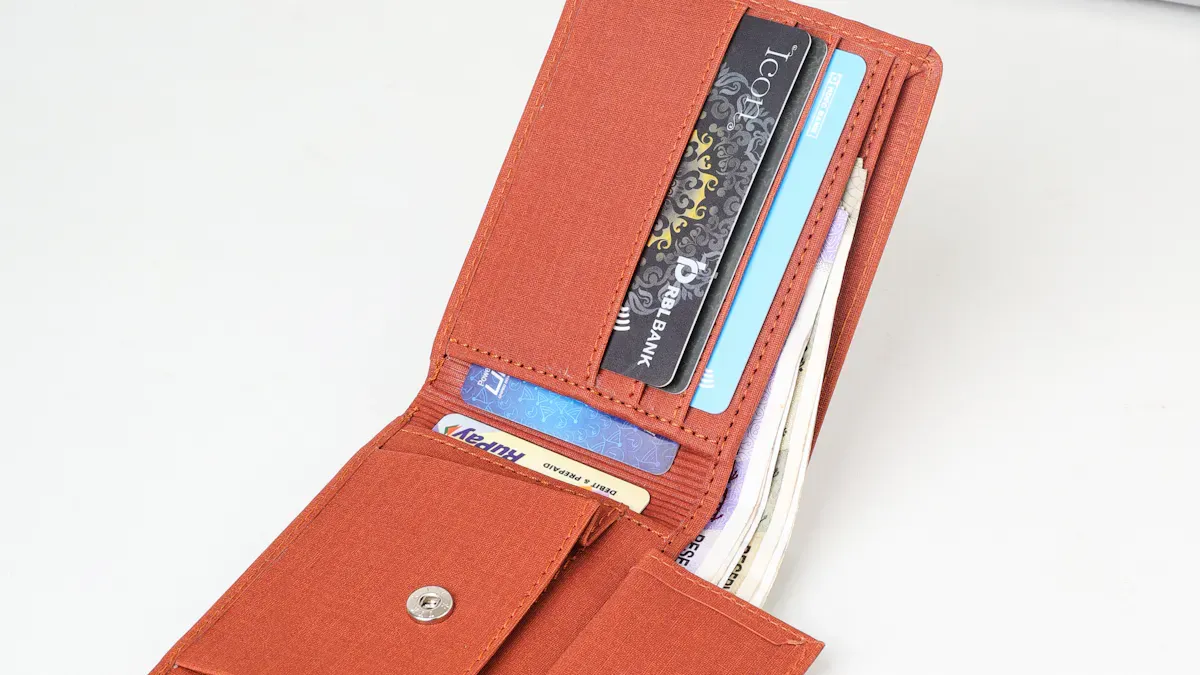
You can add funds to your crypto card with UUPAY in just a few taps. The UUPAY card supports Malaysia digital payment methods like Touch 'n Go and DuitNow, along with local bank transfers. This flexibility makes it easy to top up your wallet, especially if you live in Malaysia. You don’t need to worry about exchange rates or cross-border payment issues. UUPAY’s integration with local systems helps you move money quickly and efficiently.
Real User Example: How Funding Works in Practice
For example, a user in Kuala Lumpur wants to add funds before making an online purchase. They open the UUPAY app, select “Add Funds,” choose Touch 'n Go as the payment method, enter the amount, and confirm the transaction. Within seconds, the balance appears in their UUPAY wallet, ready to use.
Another user prefers bank transfer via DuitNow. They simply select DuitNow, follow the payment prompt from their banking app, and the funds are credited almost instantly. The process is straightforward, even for beginners.
Step-by-Step: Adding Funds
Open the UUPAY app and log in
Tap “Add Funds”
Select your preferred method (Touch 'n Go, DuitNow, or bank transfer)
Enter the amount
Confirm payment
Funds arrive instantly in your wallet
UUPAY Funding Speed and Fees
You get near-instant funding with UUPAY. Your wallet updates right after you complete the transaction. New users can enjoy fee-free top-ups as part of promotional campaigns, while regular users benefit from low and transparent fees. UUPAY also offers a 1U card opening promo and up to 50% referral commission, allowing you to earn rewards while using your crypto debit card.
Security and Compliance
UUPAY places strong emphasis on user security and regulatory compliance. The platform implements industry-standard encryption to protect transaction data and personal information. Multi-layer authentication and risk control systems help prevent unauthorized access.
In terms of compliance, UUPAY holds a US MSB (Money Services Business) license, is registered in Hong Kong, and is actively applying for additional licenses in regions like Brazil, with a Swiss regulatory background. These credentials indicate that UUPAY operates under recognized financial frameworks, providing users with greater confidence in fund safety and platform reliability.
UUPAY User Experience
The application process is fast and simple. You can set up your crypto wallet and start using your UUPAY card within minutes. The interface is designed to be user-friendly, even for those new to crypto payments. Combined with fast funding and clear fee structures, UUPAY delivers a smooth overall experience.
Note: UUPAY stands out for Malaysian users because it integrates directly with local payment systems and reduces common cross-border payment barriers.
Drawbacks of UUPAY
You might face limited support for some international payment methods. Since the UUPAY card focuses on Malaysia digital payment options, users outside Malaysia may not enjoy the same level of convenience. Additionally, certain advanced features may require extra verification steps, which could slightly impact onboarding speed for some users.
Coinbase Card: Best for Entry-Level Users
Add Funds to Coinbase Card
You want a simple way to add funds to crypto card, and Coinbase makes it easy. You can top up your wallet using bank transfers, debit cards, or even crypto transfers from your Coinbase account. The process feels straightforward, especially if you already use Coinbase for buying or selling crypto. You just pick your funding method, enter the amount, and your wallet updates.
Funding Speed and Fees
Coinbase processes most funding methods quickly. Bank transfers may take a day or two, but crypto transfers from your Coinbase wallet happen almost instantly. You see the funds in your wallet right away. Fees stay competitive, but you should always check the latest rates before you add money. Coinbase sometimes charges a small fee for certain payment methods, so keep an eye out.
User Experience and Mobile Pay
The Coinbase app feels clean and easy to use. You can manage your wallet, track spending, and freeze your card if you lose it. The application process takes just a few minutes. You get access to mobile pay features like Apple Pay and Google Pay, which makes spending even easier. Coinbase also offers crypto rewards on some purchases, so you can earn while you spend.
Tip: If you want the best crypto card for beginners, Coinbase is a strong choice. But if you need Malaysia Digital Payment options like Touch 'n Go or DuitNow, UUPAY card fits better.
Drawbacks
You may find limited support for local Malaysian payment methods. Coinbase focuses on global users, so it does not offer features like DuitNow or Touch 'n Go. Security stays strong, but you must follow extra steps for some transactions. If you want a card that fits perfectly with Malaysia’s payment ecosystem, consider UUPAY for better local integration and compliance.
Crypto.com Card: Best for High Spenders
Add Funds to Crypto.com Card
You want to add funds to crypto card with ease, and Crypto.com gives you plenty of options. You can top up your wallet using bank transfers, credit or debit cards, or even by transferring crypto from your main Crypto.com account. The app guides you step by step, so you never feel lost. If you already hold crypto, you can move it to your card wallet in just a few taps.
Speed, Fees, and Rewards
Crypto.com processes most top-ups quickly. Bank transfers might take a little longer, but crypto transfers show up almost instantly in your wallet. The fees stay competitive, especially for larger amounts. If you spend a lot, you’ll love the best cashback rewards. Crypto.com offers up to 5% cashback rewards on purchases, making it one of the best crypto card choices for high spenders. You also earn extra crypto rewards on select merchants.
Tip: If you want the best cashback rewards, check the staking requirements before you apply.
User Experience
The application process feels smooth and quick. You can manage your card, track spending, and freeze your card right from the app. Crypto.com supports Apple Pay and Google Pay, so you can pay with your phone. The app puts security first, using two-factor authentication and real-time alerts to keep your wallet safe.
Drawbacks
Crypto.com does not support Malaysia Digital Payment methods like Touch 'n Go or DuitNow. If you want a card that fits perfectly with the local payment scene, the UUPAY card might suit you better. Some of the best rewards require you to stake CRO tokens, which may not appeal to everyone.
Nexo Card: Flexible Crypto Payment Card
Add Funds to Nexo Card
You can add funds to your Nexo card in several ways. Nexo lets you top up your wallet using bank transfers, credit cards, or crypto deposits. If you already have crypto in your Nexo wallet, you can move it to your card with just a tap. You don’t need to worry about complicated steps. The app guides you through each process. While Nexo doesn’t support Malaysia Digital Payment methods like Touch 'n Go or DuitNow, you still get flexibility if you use global payment options.
Speed, Fees, and Apple Pay Support
Funding your Nexo card happens fast. Crypto transfers update your wallet almost instantly. Bank transfers might take a bit longer, but you see clear timelines in the app. Nexo keeps fees low, so you don’t lose much when you add funds. You can use Apple Pay for easy payments, which adds extra convenience. If you want to earn crypto rewards, Nexo offers cashback on purchases.
Note: If you need local payment integration, the UUPAY card fits better for Malaysian users. UUPAY connects with Touch 'n Go and DuitNow, making cross-border payments easier.
User Experience
The Nexo app feels simple and modern. You can manage your wallet, track spending, and freeze your card if needed. Security stays strong with two-factor authentication and real-time alerts. You get a smooth experience from start to finish.
Drawbacks
Nexo doesn’t offer Malaysia Digital Payment options. You miss out on local perks like Touch 'n Go or DuitNow. If you want a card that fits perfectly with the Malaysian payment ecosystem, consider the UUPAY card. Some features may require extra verification, and international users might face limited support.
Bybit Card: Easy Virtual Crypto Debit Card
Add Funds to Bybit Card
You can add funds to your Bybit card by transferring crypto from your Bybit Funding account. The card supports major cryptocurrencies like USDT, BTC, and ETH. You get instant virtual card issuance, so you can start spending right away. If you want to use your wallet for global purchases, Bybit connects with Mastercard and supports Apple Pay and Google Pay. However, Bybit does not offer Malaysia Digital Payment options such as Touch 'n Go or DuitNow. For local integration, the UUPAY card fits better.
Speed, Fees, and No Annual Fee
Bybit processes your top-ups quickly. You see your wallet balance update almost instantly after you transfer funds. There are no monthly or annual fees, which makes the card attractive if you want to avoid extra costs. Cashback rewards depend on your VIP tier, so you may earn more if you use the card often. You do not pay hidden fees, and you can enjoy crypto rewards on eligible spending.
Tip: Bybit does not support smaller altcoins. You must use the Bybit Funding account for all card transactions.
User Experience
The Bybit app feels easy to use. You can manage your wallet, track spending, and freeze your card if needed. Instant virtual card issuance lets you shop online without waiting for a physical card. Apple Pay and Google Pay support add convenience. You get global Mastercard acceptance, so you can use your card almost anywhere. Security stays strong with real-time alerts and two-factor authentication.
Drawbacks
Bybit card is available in limited regions. Physical card delivery may take time if you want a plastic card. You cannot use separated wallet balances; all funds must come from your Bybit Funding account. The card does not support Malaysia Digital Payment methods, so it may not fit your needs if you live in Malaysia. If you want local payment integration and strong compliance for cross-border payments, the UUPAY card stands out.
Pros | Cons |
|---|---|
Available in limited regions only | |
Instant virtual card issuance | Cashback depends on VIP tier |
No monthly or annual fees | Physical card delivery may take time |
Global Mastercard acceptance | No support for smaller altcoins |
Apple Pay & Google Pay supported | No separated wallet balance. Must use Funding account |
Cashback rewards on eligible spending | N/A |
Best Crypto Cards Comparison Table
Choosing the right crypto card can feel overwhelming. You want to see the facts side by side. Here’s a clear comparison to help you decide which card fits your needs.
Funding Methods
You care about how you can add money to your card. Some cards give you more options than others. Check out this table for a quick look:
Card | Local Bank Transfer | Credit/Debit Card | Crypto Transfer | Touch 'n Go / DuitNow | Apple/Google Pay | Unique Feature |
|---|---|---|---|---|---|---|
UUPAY | ✅ | ✅ | ✅ | ✅ | ❌ | Malaysia Digital Payment focus |
Coinbase | ✅ | ✅ | ✅ | ❌ | ✅ | Easy for beginners |
Crypto.com | ✅ | ✅ | ✅ | ❌ | ✅ | |
Nexo | ✅ | ✅ | ✅ | ❌ | ✅ | Flexible credit line |
Bybit | ❌ | ❌ | ✅ | ❌ | ✅ | Instant virtual card |
Note: If you live in Malaysia, UUPAY stands out. You can use Touch 'n Go, DuitNow, and other Malaysia Digital Payment methods. This makes adding funds simple and fast.
Speed and Fees
You want your money to show up fast. You also want to avoid high fees. Here’s how each card performs:
Card | Funding Speed | Top-Up Fees | Rewards/Cashback | Annual Fee |
|---|---|---|---|---|
UUPAY | Instant for local | Low, transparent | Up to 50% referral, promo | None |
Coinbase | Instant (crypto), 1-2 days (bank) | Low to moderate | Crypto rewards | None |
Crypto.com | Instant (crypto), 1-2 days (bank) | Low for large amounts | Up to 5% cashback | None |
Nexo | Instant (crypto), 1-2 days (bank) | Low | Cashback, flexible credit | None |
Bybit | Instant (crypto) | No top-up fee | Cashback (VIP tier) | None |
Tip: UUPAY gives you instant funding with Malaysia Digital Payment methods. You see your balance update right away. You also avoid hidden fees.
User Experience
You want an app that feels easy and safe. You want to manage your card without stress. Here’s what you get with each card:
Card | App Usability | Security Features | Mobile Pay Support | Customer Support | Compliance/Trust Factor |
|---|---|---|---|---|---|
UUPAY | Simple, local focus | Two-factor, real-time alerts | ❌ | Fast, local team | US MSB, HK, Brazil, Swiss licenses |
Coinbase | Clean, beginner-friendly | Two-factor, freeze card | ✅ | Good | Global brand, strong compliance |
Crypto.com | Modern, rewards focus | Two-factor, real-time alerts | ✅ | Good | Global, trusted |
Nexo | Modern, flexible | Two-factor, real-time alerts | ✅ | Good | Regulated, trusted |
Bybit | Easy, instant card | Two-factor, real-time alerts | ✅ | Average | Global, but limited regions |
If you want the best crypto cards for Malaysia, UUPAY gives you a local team, strong compliance, and support for Malaysia Digital Payment systems. You get peace of mind for cross-border payments.
Which Card Fits You Best?
Entry-Level Users: Try Coinbase. The app feels simple and you get easy funding options.
High Spenders: Go for Crypto.com. You earn high cashback rewards if you spend a lot.
Flexible Funding: Nexo gives you many ways to add funds and a flexible credit line.
Virtual Card Fans: Bybit offers instant virtual cards and no annual fee.
Malaysian Users: Pick UUPAY. You get Touch 'n Go, DuitNow, and full Malaysia Digital Payment support. UUPAY’s compliance background makes it a safe choice for cross-border payments.
You want the best crypto cards for your needs. Think about your funding habits, rewards, and which payment methods matter most to you.
How to Choose the Best Crypto Card for You
Assess Your Funding Needs
You want a card that fits your lifestyle. Start by thinking about how you plan to add funds. If you use Malaysia Digital Payment methods like Touch 'n Go or DuitNow, the UUPAY card makes your life easier. You can top up your wallet with local bank transfers or digital payments. If you prefer crypto transfers or international options, cards like Coinbase or Crypto.com might suit you better. Ask yourself which funding methods you use most often.
Balance Fees and Rewards
You should look at the fees and rewards before you decide. Some cards charge low fees for top-ups, while others offer cashback or referral bonuses. UUPAY gives you transparent fees and promo rewards, which help you save money. Crypto.com offers high cashback for big spenders. Nexo provides flexible credit and cashback. Compare the rewards with the costs. Pick the best crypto card that matches your spending habits.
Consider User Experience
You want an app that feels easy and secure. Try to check if the card supports mobile pay like Apple Pay or Google Pay. UUPAY stands out for Malaysian users because it connects with local payment systems and offers strong compliance for cross-border payments. Good customer support and a user-friendly app make your experience smoother. Think about what matters most to you—speed, security, or convenience.
Tip: Make a list of your priorities. You will find the best crypto cards when you match your needs to the features.
If you want the easiest way to add funds, UUPAY stands out for Malaysian users. You get local payment options, fast top-ups, and strong compliance. Compare the best crypto cards based on your needs. Think about your favorite funding method, fees, and how simple the app feels to you.
FAQ
Why might your UUPAY card get frozen?
Your UUPAY card may freeze if you enter the wrong PIN too many times, spot suspicious activity, or miss a compliance check. This keeps your funds safe.
How do you unfreeze your UUPAY card in Malaysia?
You can contact UUPAY support through the app. Provide your ID and explain your situation. The team will guide you to restore access, especially for Malaysia Digital Payment users.
Can you add funds to your UUPAY card with Touch 'n Go or DuitNow?
Yes! You can top up your UUPAY card using Touch 'n Go, DuitNow, or local bank transfers. This makes Malaysia Digital Payment options simple and fast.
See Also
Top Prepaid Crypto Cards For Hassle-Free Daily Purchases
Recommended USDT Debit Cards For Simple Crypto Transactions
Steps To Obtain A Crypto Debit Card Easily
Purchasing Cryptocurrency Using Your Credit Card Made Simple
