Top 10 Platforms to Top Up Crypto Cards in 2026
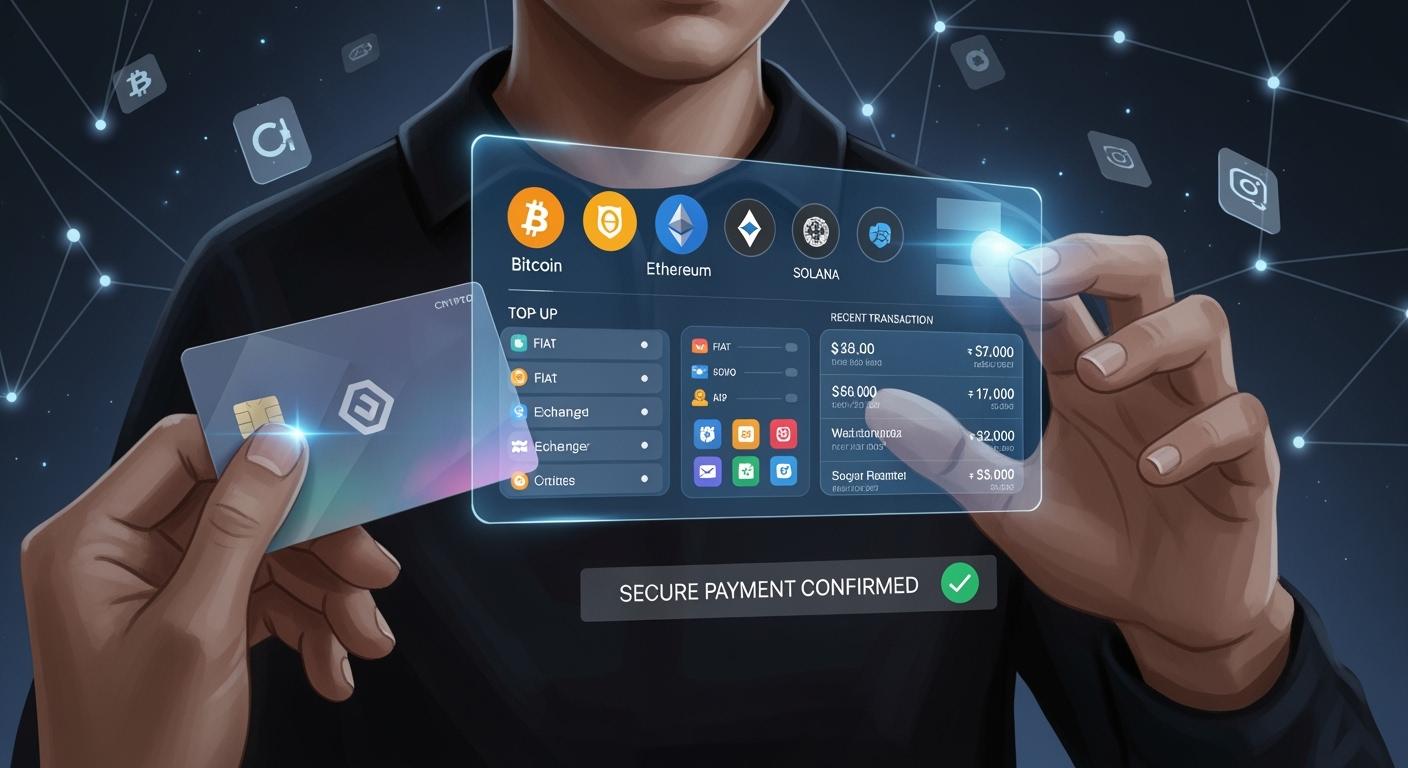
Here are the top 10 platforms to top up crypto card in 2026: UUPAY, Binance Pay, Crypto.com Card, Coinbase Card, BitPay Card, Nexo Card, MetaMask Card, Oobit Card, Bitrefill, and Revolut Crypto Card. If you’re looking to top up crypto card quickly and securely for everyday use, pick the platform that best matches your needs.
Key Takeaways
Crypto cards let you use digital assets like Bitcoin and Ethereum. You do not have to change them to cash first. This makes spending easier for you.
Picking the best platform to top up your crypto card is important. You should check for low fees. Make sure the platform has good security. It should support many cryptocurrencies.
Safety is very important when you top up your crypto card. Use strong passwords. Turn on two-factor authentication. Watch your account for strange activity.
Crypto Cards & Top-Ups
What Are Crypto Cards
Crypto cards work a lot like the debit or credit cards you already know. You can use them to pay for things in stores, online, or even while traveling. The big difference is that these cards let you spend your digital assets, like Bitcoin or Ethereum, just like regular money. You don’t have to convert your crypto to cash first.
Most crypto cards connect to digital wallets on your phone or smartwatch. You can tap to pay at restaurants, shops, or hotels around the world. Many cards help you keep track of your spending by showing both crypto and your home currency amounts. Some even let you set spending limits or create budgets for different things, like food or travel. If you lose your card or device, you can freeze your card right away and get help to restore access.
Crypto cards often use security features like PIN codes, fingerprint or face unlock, and two-factor authentication. This keeps your money safe and gives you peace of mind.
Why Top Up Matters
You need to top up crypto card before you can use it for shopping or paying bills. Topping up means adding more crypto to your card balance. If you don’t keep your card topped up, you might miss out on a quick coffee run or a last-minute online deal.
Here’s why topping up matters:
You can spend your crypto instantly, without waiting for long transfers.
You get to lock in good exchange rates before you travel or shop.
You can set spending caps to avoid going over budget.
You stay ready for emergencies, even if you lose internet access.
Crypto cards make everyday spending easy and safe. You get the convenience of a regular card, plus the power and privacy of crypto.
Choosing a Top-Up Platform
Picking the right place to top up crypto card can make your life much easier. You want a platform that feels safe, works smoothly, and doesn’t surprise you with hidden fees. Let’s break down what matters most.
Security & Trust
You should always check how a platform protects your money. Look for things like escrow services, KYC checks, and two-factor authentication. These features help keep your funds safe from hackers and scams. A trusted platform will also have clear rules and a good reputation in the crypto world.
Fees & Supported Currencies
Nobody likes paying high fees. Before you choose a platform, compare the costs for topping up, trading, and withdrawing. Some platforms even offer zero-fee promotions or special deals for new users. Also, check which cryptocurrencies you can use. If you want flexibility, pick a platform that supports many coins and tokens.
Tip: Platforms with more payment options let you top up crypto card using your favorite method, whether that’s a bank transfer, credit card, or another crypto wallet.
User Experience
A simple and friendly interface saves you time and stress. You want to find everything you need in just a few taps. Good platforms also offer fast customer support and easy ways to solve problems. If you ever get stuck, quick help can make all the difference.
Choosing the right platform means you can top up crypto card quickly, safely, and without headaches.
UUPAY Platform Review
Features & Benefits
You want a platform that makes life simple. UUPAY does just that. You can open a virtual card for only 1U, and you get 1U back as a new user. That means your first card is basically free! All users enjoy zero card top-up fees, so you keep more of your money. UUPAY also has a cool referral program. The more friends you invite who use UUPAY, the higher your commission. You can earn up to 50% commission, which is one of the best deals out there.
Tip: If you like sharing good things with friends, UUPAY rewards you for it.
Fees & Currencies
Nobody likes hidden fees. UUPAY keeps things clear. You pay nothing to top up crypto card. You can use many popular cryptocurrencies, so you have flexibility. Here’s a quick look:
Feature | UUPAY Offer |
|---|---|
Top-Up Fee | Zero |
Card Opening | 1U (get 1U back) |
Supported Coins | BTC, ETH, USDT, more |
You can check the app for the latest list of supported coins.
Security & Support
You want your money safe. UUPAY takes compliance seriously. The platform holds a US MSB license, registers in Hong Kong, and has a Swiss license. UUPAY is also applying for a Brazil license. These steps show UUPAY cares about following the rules. If you ever need help, you can reach out to their support team. They answer fast and help you solve problems.
Note: UUPAY’s strong licenses and support team give you peace of mind.
Binance Pay
Platform Features
Binance Pay gives you a simple way to spend your crypto every day. You can use it to pay at stores, send money to friends, or shop online. The app supports many coins, so you get lots of choices. You can even earn rewards when you use Binance Pay for certain purchases. The platform works with both the Binance app and website. You can manage your card, check your balance, and see your spending history in one place.
Tip: Binance Pay often runs special deals. You might get cashback or discounts when you use your card at partner stores.
Top-Up Process
You can top up crypto card with just a few taps. First, log in to your Binance account. Next, go to the Pay section and pick the card you want to add funds to. Choose the crypto you want to use, enter the amount, and confirm. The funds show up almost right away. You do not need to wait for long transfers. If you want, you can set up auto top-ups so your card always has enough balance.
Steps to top up:
Open Binance app or website.
Go to Pay and select your card.
Pick your crypto and amount.
Confirm and finish.
Security
Binance Pay takes your safety seriously. The platform uses two-factor authentication to protect your account. You can set up fingerprint or face unlock for extra security. Binance also watches for strange activity and will alert you if something looks wrong. If you lose your card, you can freeze it right away in the app. Fast support is always ready to help you fix any problems.
Note: Always keep your app updated for the latest security features.
Crypto.com Card
Key Features
You want a card that works almost everywhere. Crypto.com Card lets you pay at millions of places, both online and in stores. You can use it for travel, shopping, or even grabbing a snack. The card supports many popular cryptocurrencies. You can freeze or unfreeze your card in the app if you ever lose it. You also get cool perks like Spotify and Netflix rebates, airport lounge access, and cashback on every purchase.
Tip: Check the app for the latest rewards. Crypto.com often updates its perks to keep things fresh.
Fees & Limits
Crypto.com Card keeps fees simple. You pay no annual fee. You get free ATM withdrawals up to a set limit each month. After you reach the limit, you pay a small fee. The card has spending limits based on your card tier. Higher tiers give you more perks and higher limits. Here’s a quick look:
Card Tier | Free ATM Limit | Cashback Rate |
|---|---|---|
Midnight Blue | $200/month | 1% |
Ruby Steel | $400/month | 2% |
Jade/Indigo | $800/month | 3% |
You can top up crypto card with many coins, including BTC, ETH, and USDT.
User Experience
You will find the Crypto.com app easy to use. The dashboard shows your balance, rewards, and spending history. You can manage your card, set spending alerts, and contact support right from the app. If you need help, the support team answers fast. The app works on both iOS and Android. You can even use your card with Apple Pay or Google Pay for quick payments.
Note: Crypto.com Card gives you a smooth way to spend your crypto every day.
Coinbase Card
Features
Coinbase Card lets you spend your crypto just like cash. You can use it at stores, online shops, or even for travel. The card connects right to your Coinbase account, so you do not need to move funds around. You can pick which crypto to spend each time you make a purchase. The app shows your balance and spending history in real time. You also get instant notifications after every transaction. If you want to freeze your card, you can do it with one tap in the app.
Tip: You can earn rewards in crypto when you use your Coinbase Card for certain purchases.
Fees
Coinbase Card keeps things simple. There is no annual fee. You pay a small fee when you use the card for international purchases or ATM withdrawals. The app shows all fees before you confirm a transaction, so you never get surprised. Here is a quick look at the main fees:
Action | Fee |
|---|---|
Domestic Purchases | Free |
International Use | 2% |
ATM Withdrawal | 1% |
You can top up crypto card from your Coinbase wallet with just a few taps.
Security
You want your money safe. Coinbase Card uses two-factor authentication and instant alerts to protect your account. You can lock or unlock your card anytime in the app. Coinbase also uses strong encryption to keep your data private. If you ever lose your card, customer support can help you right away.
Note: Always keep your app updated for the latest security features.
BitPay Card
Platform Overview
You want a card that makes spending crypto easy. BitPay Card gives you that. You can use it anywhere Mastercard is accepted. You pay for groceries, gas, or even online shopping. The card connects to your BitPay wallet. You see your balance and spending in real time. BitPay supports popular coins like Bitcoin, Ethereum, and stablecoins. You can also get instant notifications after every purchase.
Tip: BitPay Card works in many countries, so you can use it while traveling.
Top Up Crypto Card Process
You can top up crypto card with just a few steps. First, open your BitPay app. Next, choose the card and tap "Add Funds." Pick the crypto you want to use. Enter the amount and confirm. BitPay converts your crypto to dollars right away. Your card balance updates in seconds. You do not need to wait for long transfers. If you want, you can set up auto top-ups so your card always has funds.
Steps to top up:
Open BitPay app.
Select your card.
Tap "Add Funds."
Choose crypto and amount.
Confirm and finish.
Security
You want your money safe. BitPay Card uses strong security tools. You get two-factor authentication and instant alerts. You can lock or unlock your card in the app. BitPay also uses encryption to protect your data. If you lose your card, freeze it right away. The support team helps you fast if you have any problems.
Note: Always update your app for the best security.
Nexo Card
Features
You get a lot of flexibility with the Nexo Card. This card is available if you live in the EEA or the UK. You can use it almost anywhere that accepts Mastercard. Nexo connects your card to your crypto balance, so you do not need to sell your coins before you spend. You can also earn rewards every time you make a purchase. Nexo gives you instant cashback in crypto. You can choose between Bitcoin or NEXO tokens for your rewards. The card works with Apple Pay and Google Pay, so you can pay with your phone or smartwatch.
Spend without selling your crypto
Earn instant crypto cashback
Use Apple Pay or Google Pay
Linked to Nexo’s lending and discount services
Tip: You can freeze or unfreeze your card in the app if you ever lose it.
Fees
You do not pay monthly or annual fees for the Nexo Card. There are no foreign transaction fees, so you can use your card while traveling. ATM withdrawals are free up to a certain limit each month. After you reach the limit, you pay a small fee. The app shows you all fees before you confirm a transaction. This helps you avoid surprises.
Fee Type | Cost |
|---|---|
Annual Fee | $0 |
Foreign Transaction | $0 |
ATM Withdrawal | Free up to limit |
User Experience
You will find the Nexo app easy to use. The dashboard shows your balance, rewards, and spending history. You can manage your card, set spending alerts, and contact support right from the app. If you want to top up crypto card, you can do it in just a few taps. The support team answers quickly if you need help. The app works on both iOS and Android, so you can manage your card anywhere.
Note: Nexo Card makes spending your crypto simple and rewarding.
MetaMask Card
Features
MetaMask Card brings your crypto wallet right into your pocket. You can spend your digital assets at stores, online shops, or even while traveling. The card connects directly to your MetaMask wallet, so you do not need to move funds around. You can pick which crypto to use for each purchase. The app lets you see your balance and spending history in real time. You can freeze your card with one tap if you ever lose it. MetaMask Card works with Apple Pay and Google Pay, so you can pay with your phone or watch.
Tip: You can switch between different tokens for each payment. This gives you more control over your spending.
Rewards & Fees
You want to get the most out of every purchase. MetaMask Card offers cashback rewards on many transactions. The more you use your card, the more you earn. You can check the app for the latest reward rates. Fees stay low and clear. There are no annual fees. You pay a small fee for international purchases or ATM withdrawals. Here’s a quick look:
Action | Fee |
|---|---|
Domestic Purchases | Free |
International Use | 1.5% |
ATM Withdrawal | 1% |
You can top up your card with popular coins like ETH, USDT, and DAI.
Security
You want your crypto safe. MetaMask Card uses strong security features to protect your funds:
Your private keys stay on your device, so only you can access your money.
The app uses strong encryption to keep your keys safe.
You set a password and get an encrypted seed phrase for account recovery.
You can connect hardware wallets like Ledger or Trezor for extra protection.
If you ever lose your card or device, you can freeze your card right away. MetaMask also sends instant alerts for every transaction. This helps you spot anything unusual fast.
Note: Always keep your app updated for the best security.
Oobit Card
Cashback & Features
You want rewards when you spend your crypto. Oobit Card gives you just that. Every time you use your card, you earn instant cashback. The more you spend, the more you get back. Oobit also offers cool features that make your life easier:
Instant top-ups with crypto or fiat
Real-time spending notifications
No monthly or annual fees
Easy card freeze and unfreeze in the app
Tip: Check the app for special cashback promotions. You might find extra rewards during holidays or big sales!
Supported Wallets
You can connect Oobit Card to many popular wallets. This means you do not need to move your crypto around. Just link your favorite wallet and start spending. Oobit supports wallets like:
MetaMask
Trust Wallet
Coinbase Wallet
You can also use Oobit’s own wallet if you want everything in one place. Switching between wallets is simple. You stay in control of your crypto at all times.
Global Access
Traveling? Shopping online? Oobit Card works almost everywhere. You can use it at millions of stores, restaurants, and websites around the world. Oobit supports both physical and virtual cards, so you can pay with your phone or a plastic card.
🌍 Oobit Card lets you spend crypto like cash—no matter where you are. You get fast support if you ever need help, day or night.
Note: Always check for the latest supported countries in the app before you travel.
Bitrefill
Gift Cards & Top-Ups
You want to spend your crypto on real things? Bitrefill makes that super easy. You can buy gift cards for hundreds of brands—think Amazon, Walmart, Uber, and even Netflix. You just pick a card, pay with your favorite crypto, and get your code in seconds. You can use these gift cards to shop, eat out, or pay for streaming services. Bitrefill also lets you top up your mobile phone or pay utility bills in many countries. You don’t need to wait for long transfers. Everything happens fast.
Tip: Bitrefill often adds new brands and services. Check back often to see what’s new!
Supported Wallets
You can use almost any crypto wallet with Bitrefill. The platform supports Bitcoin, Ethereum, USDT, USDC, Litecoin, and more. You just scan a QR code or copy the address to send your payment. Bitrefill works with wallets like:
MetaMask
Trust Wallet
Coinbase Wallet
Ledger and Trezor hardware wallets
You don’t need to create an account for small purchases. For bigger orders, you can sign up and track your history.
User Experience
Bitrefill keeps things simple. The website loads fast and looks clean. You can find what you want in just a few clicks. If you get stuck, there’s a help center and live chat. You get your gift card codes right away after payment. No waiting, no stress. Bitrefill also has a rewards program. You earn points every time you buy something. Later, you can use those points for discounts.
Note: Bitrefill makes spending crypto feel just like spending cash. Try it out and see how easy it is! 🚀
Cryptorefills
Supported Cryptos
You want choices when you spend your crypto. Cryptorefills gives you a big list of coins and tokens. You can use Bitcoin, Ethereum, Litecoin, USDT, and even Dogecoin. The platform also supports stablecoins like USDC and DAI. This means you can pick the coin you like best or the one with the lowest fees. You do not need to worry about being stuck with just one option.
Here’s a quick look at some popular coins you can use:
Crypto | Symbol |
|---|---|
Bitcoin | BTC |
Ethereum | ETH |
Litecoin | LTC |
USDT | |
Dogecoin | DOGE |
USD Coin | USDC |
DAI | DAI |
Tip: Check the Cryptorefills website for the latest list. They add new coins often!
No KYC Benefits
You value privacy. Cryptorefills lets you buy gift cards and top up services without KYC (Know Your Customer) checks. You do not need to upload your ID or share personal details for most purchases. This keeps your shopping private and fast. You stay in control of your data.
No ID upload for small orders
No long forms to fill out
More privacy for your crypto spending
🚀 You get more freedom and less hassle when you use Cryptorefills.
Instant Delivery
You want your gift card or top-up right away. Cryptorefills delivers codes instantly after your payment. You do not need to wait hours or days. The code appears on your screen and in your email. You can use it right away for shopping, streaming, or mobile top-ups.
Fast delivery for all orders
Codes sent by email and shown on the website
No waiting, no stress
Note: If you ever have a problem, Cryptorefills support helps you quickly.
Revolut Crypto Card
Features
You want a card that fits your busy life. Revolut Crypto Card gives you that. You can spend your crypto at stores, online shops, or even while traveling. The card connects to your Revolut app, so you see your balance and transactions right away. You can switch between crypto and fiat for payments. Revolut supports popular coins like Bitcoin, Ethereum, and USDT. You can freeze your card in the app if you lose it. The card works with Apple Pay and Google Pay, so you pay with your phone or watch.
Tip: Revolut lets you set spending limits and alerts. You stay in control of your money.
Fees
Nobody likes hidden fees. Revolut keeps things clear. You pay no monthly fee for the basic card. You pay a small fee when you convert crypto to fiat for spending. ATM withdrawals are free up to a set limit each month. After you reach the limit, you pay a small fee. Here’s a quick look:
Fee Type | Cost |
|---|---|
Monthly Fee | $0 |
Crypto Conversion | 1.5% |
ATM Withdrawal | Free up to limit |
You can check the app for the latest fee details.
User Experience
Revolut makes things simple. The app shows your balance, spending history, and rewards. You can manage your card, set alerts, and contact support in just a few taps. The app works on iOS and Android. You get instant notifications after every purchase. If you need help, Revolut’s support team answers fast.
Easy to use app
Instant alerts for every transaction
Fast customer support
Note: Revolut Crypto Card gives you a smooth way to spend your crypto every day.
Banxe Card
Banking & Crypto Services
You want a card that does more than just spend crypto. Banxe Card gives you both banking and crypto features in one place. You can open a multi-currency account and manage your money with ease. Banxe lets you hold, send, and receive both fiat and digital currencies. You can pay bills, shop online, or transfer money to friends. The app shows your balances in real time. You get a smooth experience whether you use dollars, euros, or Bitcoin.
Tip: Banxe Card works for both personal and business accounts. You can keep your work and personal spending separate.
Top-Up Options
Topping up your Banxe Card feels simple. You can add funds using crypto or traditional methods. Choose from Bitcoin, Ethereum, USDT, or other popular coins. You can also use a bank transfer or credit card. The app guides you step by step. Just pick your method, enter the amount, and confirm. Your balance updates fast, so you can start spending right away.
Add funds with crypto or fiat
Use bank transfer, credit card, or supported wallets
Instant balance updates
Note: Banxe does not charge hidden fees for top-ups. You see all costs before you finish.
Security
You want your money safe. Banxe uses strong security tools to protect your account. You get two-factor authentication and instant alerts for every transaction. The app uses encryption to keep your data private. If you lose your card, you can freeze it in seconds. Banxe’s support team helps you quickly if you have any problems.
Security Feature | Banxe Offers |
|---|---|
Two-Factor Authentication | ✅ |
Instant Alerts | ✅ |
Card Freeze | ✅ |
Data Encryption | ✅ |
🚨 Always keep your app updated for the best protection.
Platform Comparison
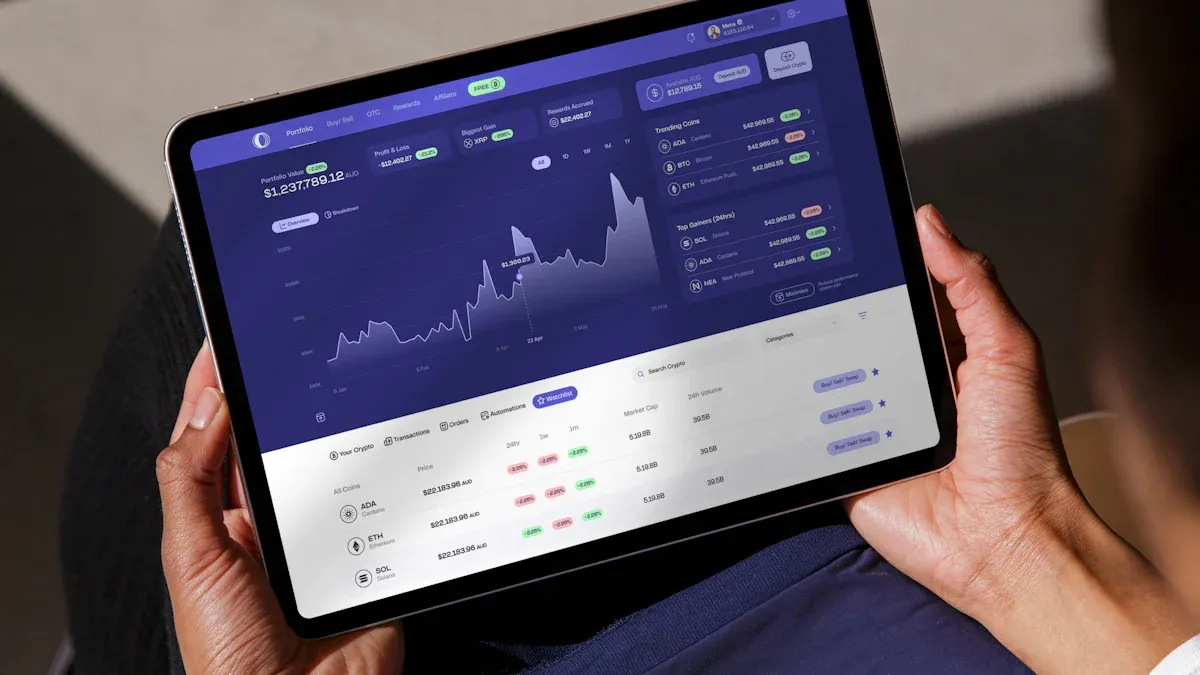
Picking where to top up crypto card can be hard. Let’s look at the main differences so you can choose what works for you.
Fees & Limits
You want to save money when you use your card. Here’s a simple chart that shows fees and limits for each platform:
Platform | Top-Up Fee | ATM Fee | Monthly Fee | Cashback/Rewards |
|---|---|---|---|---|
UUPAY | $0 | Varies | $0 | Up to 50% referral |
Binance Pay | $0 | Low | $0 | Yes |
Crypto.com | $0 | Free up to limit | $0 | 1-5% |
Coinbase | $0 | 1% | $0 | Yes |
BitPay | $0 | 1-2% | $0 | No |
Nexo | $0 | Free up to limit | $0 | 2% |
MetaMask | $0 | 1% | $0 | Yes |
Oobit | $0 | Varies | $0 | Yes |
Bitrefill | Varies | N/A | $0 | Points |
Revolut | $0 | Free up to limit | $0 | Yes |
Tip: UUPAY is special because it has no top-up fees and a cool deal for new users.
Supported Cryptos
You want lots of choices for your crypto. Here’s what you can use on each platform:
UUPAY: BTC, ETH, USDT, and more
Binance Pay: 50+ coins
Crypto.com: 20+ coins
Coinbase: BTC, ETH, LTC, USDC, and more
BitPay: BTC, ETH, BCH, DOGE, stablecoins
Nexo: BTC, ETH, XRP, NEXO, and others
MetaMask: ETH, USDT, DAI, and ERC-20 tokens
Oobit: BTC, ETH, USDT, and more
Bitrefill: BTC, ETH, LTC, USDT, USDC, DAI
Revolut: BTC, ETH, USDT, and more
Note: Binance Pay and Bitrefill let you use the most coins.
Security & Support
You want your money safe and help when you need it. Most platforms use two-factor authentication, instant alerts, and let you freeze your card. UUPAY is strong with licenses in the US, Hong Kong, and Switzerland. They are also working on a Brazil license. Most platforms have fast support, but check reviews to see how quick they are.
UUPAY: Strong rules, fast help
Binance Pay: Global safety standards
Crypto.com: 24/7 help, strong app safety
Coinbase: Trusted name, instant alerts
BitPay: Safe wallet, quick help
Nexo: Regulated, helpful team
MetaMask: Private keys stay on your device
Oobit: 24/7 help
Bitrefill: No KYC for small buys
Revolut: Bank-level safety
If you want the best safety and no fees, UUPAY is a great pick.
How to Top Up Crypto Card Safely
Steps to Top Up
You want to use your crypto card right away. Here’s how you can top up crypto card in just a few easy steps:
Log in to your app or website. Open the platform you use for your crypto card.
Go to the card section. Find the area where you manage your card.
Choose “Add Funds” or “Top Up.” Tap the button to start.
Pick your crypto. Select the coin or token you want to use.
Enter the amount. Type how much you want to add.
Check the details. Make sure everything looks right.
Confirm your top-up. Hit the confirm button and wait for the balance to update.
Tip: Some apps let you set up auto top-ups. This keeps your card ready for shopping anytime.
Safety Tips
You want your money safe every time you add funds. Try these tips:
Use strong passwords and change them often.
Turn on two-factor authentication for extra security.
Only use trusted Wi-Fi when you log in.
Check the website address before you enter your info.
Never share your PIN or password with anyone.
Update your app to get the latest safety features.
Watch for alerts about strange activity.
Note: If you see anything odd, freeze your card and contact support right away. Quick action can protect your crypto.
You have great choices for topping up your crypto card. UUPAY stands out with zero fees, a 1U new user bonus, and strong licenses.
Compare features, fees, and security.
Try signing up or a demo.
Stay safe—pick a platform that puts your security and experience first!
FAQ
How do I pick the best platform to top up my crypto card?
You should look for low fees, strong security, and lots of supported coins. UUPAY gives you zero top-up fees and a new user bonus.
Is it safe to use crypto cards for daily spending?
Yes! Most platforms use two-factor authentication and instant alerts. You can freeze your card anytime if you see something strange.
What makes UUPAY stand out from other platforms?
UUPAY gives you a 1U card for new users, zero top-up fees, and strong licenses in the US, Hong Kong, and Switzerland. Invite friends for up to 50% commission!
See Also
Essential Crypto Top-Up Cards You Should Consider for 2026
Are You Prepared for Crypto Top-Up Cards in 2026?
Best Mobile Crypto Cards to Earn Rewards in 2026
